

Adcash and RedTrack

Adcash is a real-time advertising trading platform that centers around a high-performance self-service DSP with both direct and programmatic supply.
Integration
Important before you start
Before you proceed with the integration, make sure to have the already added:
- Custom tracking domain
- Offer source and Offer (if you’re an Affiliate)/ Store and Store tracking URL (if you’re an Advertiser)
- Conversion types you’re planning to work with
Integration steps
1. Copy the S2S Postback URL from Adcash.
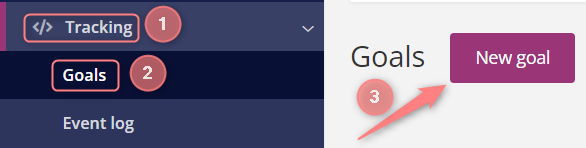
1.1 In your Adcash account go to Tracking → Goals → New goal:
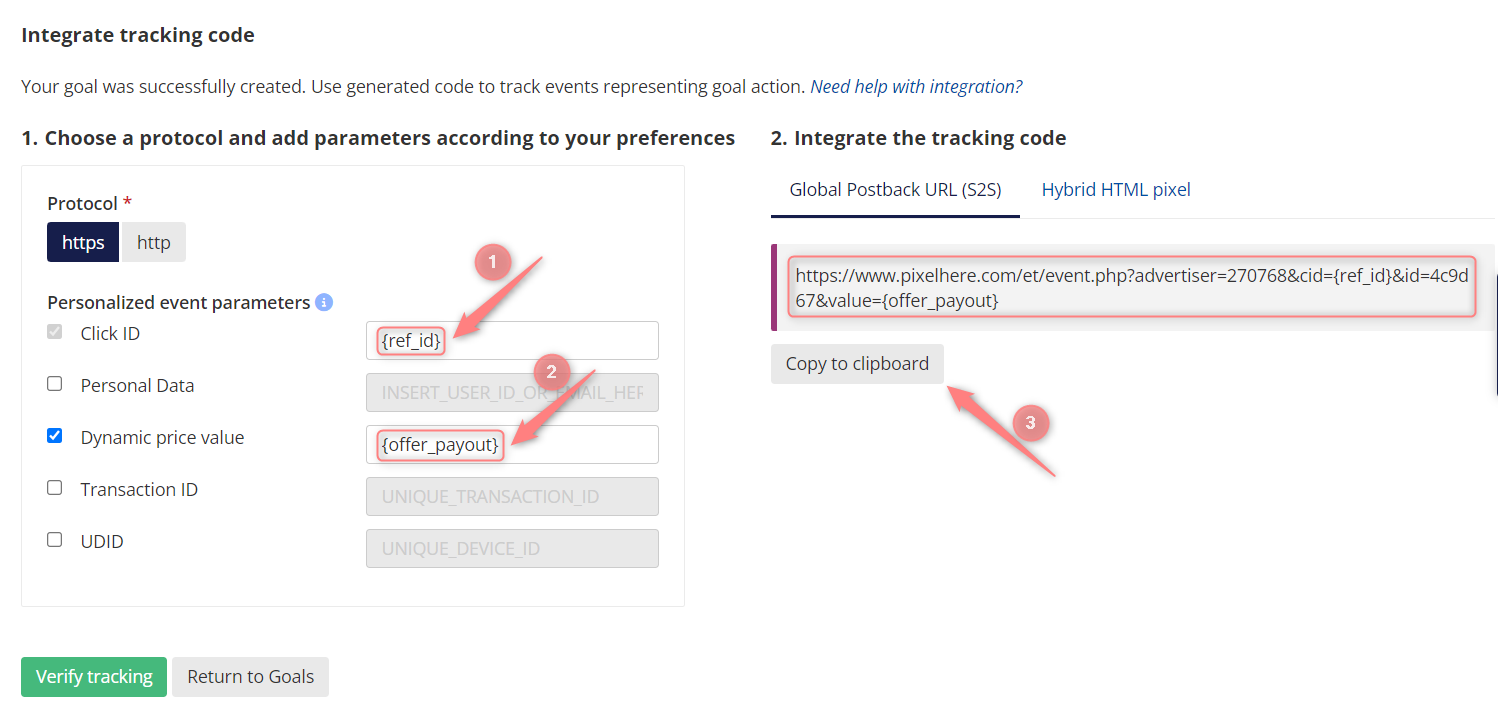
1.2 Fill in the mandatory fields within the Goal template → Get tracking code → put {ref_id} in the Click ID field and {offer_payout} in the Dynamic price value field → copy the resulting code:
2. Add Adcash as a Traffic channel in RedTrack and add the copied S2S Postabck URL from Adcash.
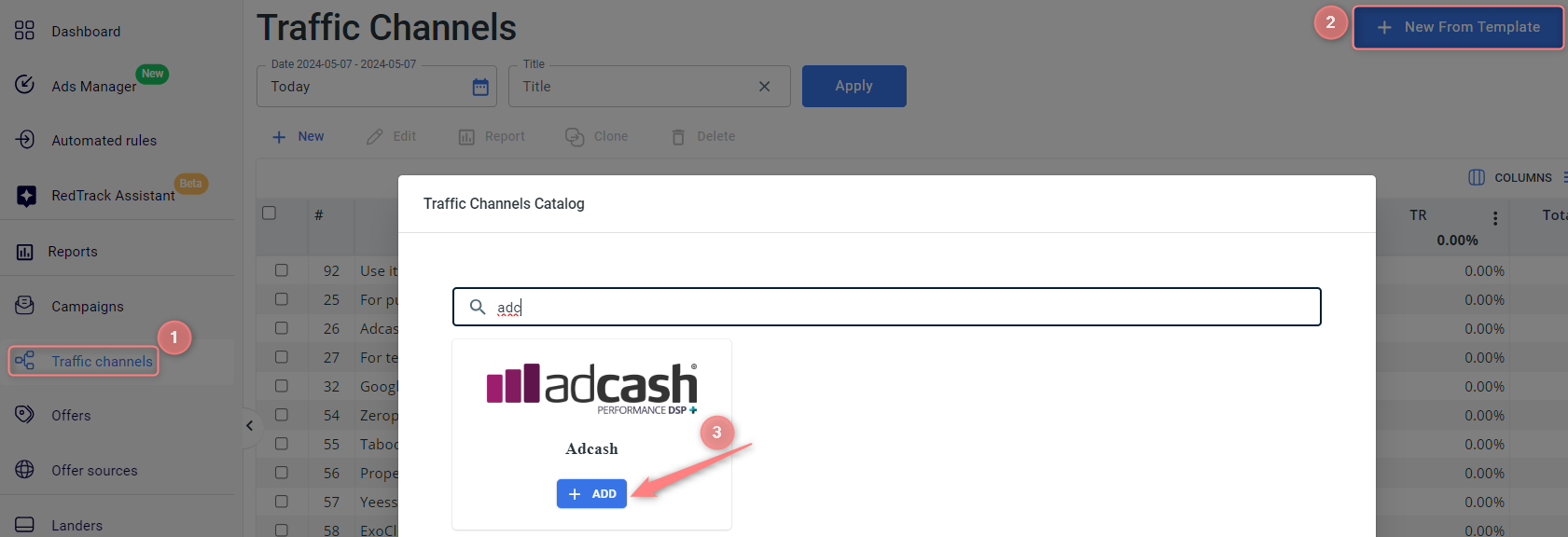
2.1 Go to your RedTrack account → Traffic channels → New from template → find Adcash → Add:
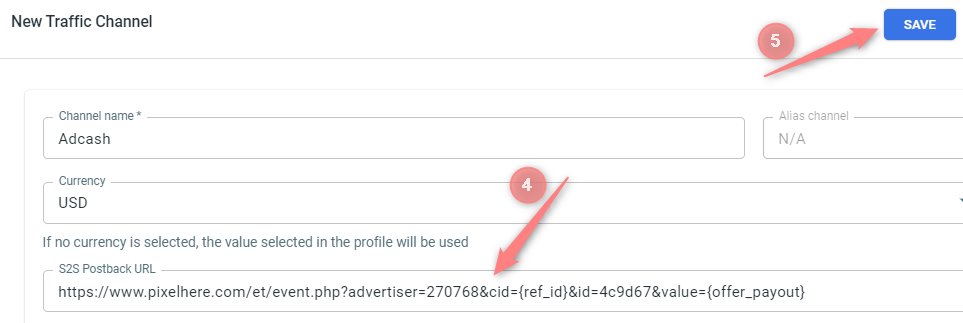
2.2 Paste the S2S Postback URL (copied in step 1.2) into the S2S Postback URL field → Save the template:
3. Set up a campaign/ad trracking in RedTrack with Adcash as your traffic channel.
To create a campaign/ad tracking in RT act depending on your account type:
3.1. Campaigns → Create new campaign → fill in the info in all the sections and tabs:
- General: Give it the name, and choose the traffic channel, tracking domain, and cost-tracking method.
- Funnels: Choose the type of funnel you are using and add the elements from the drop-downs.
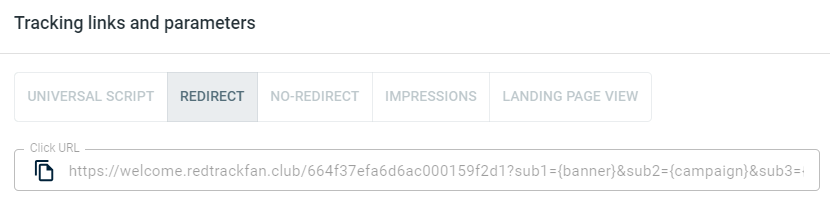
3.2. Once the Campaign is saved go to Tracking links and parameters → copy the automatically generated click URL (your tracking link):
3.1. Ad Tracking → New Ad Tracking → fill in the info in all the sections and tabs:
- General: Give it the name, and choose the traffic channel, and cost-tracking method.
- Funnels: Choose the type of funnel you are using and add the elements from the drop-downs.
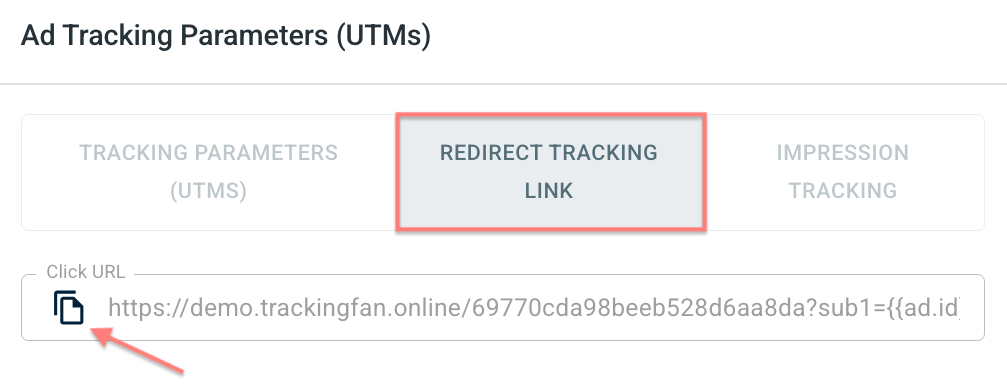
3.2. Once the Ad Tracking is saved go to Ad Tracking Parameters (UTMs) → copy Click URL from the Redirect tracking link tab:
– Universal script
– No-redirect
– Impressions
4. Set up the tracking on the Adcash side.
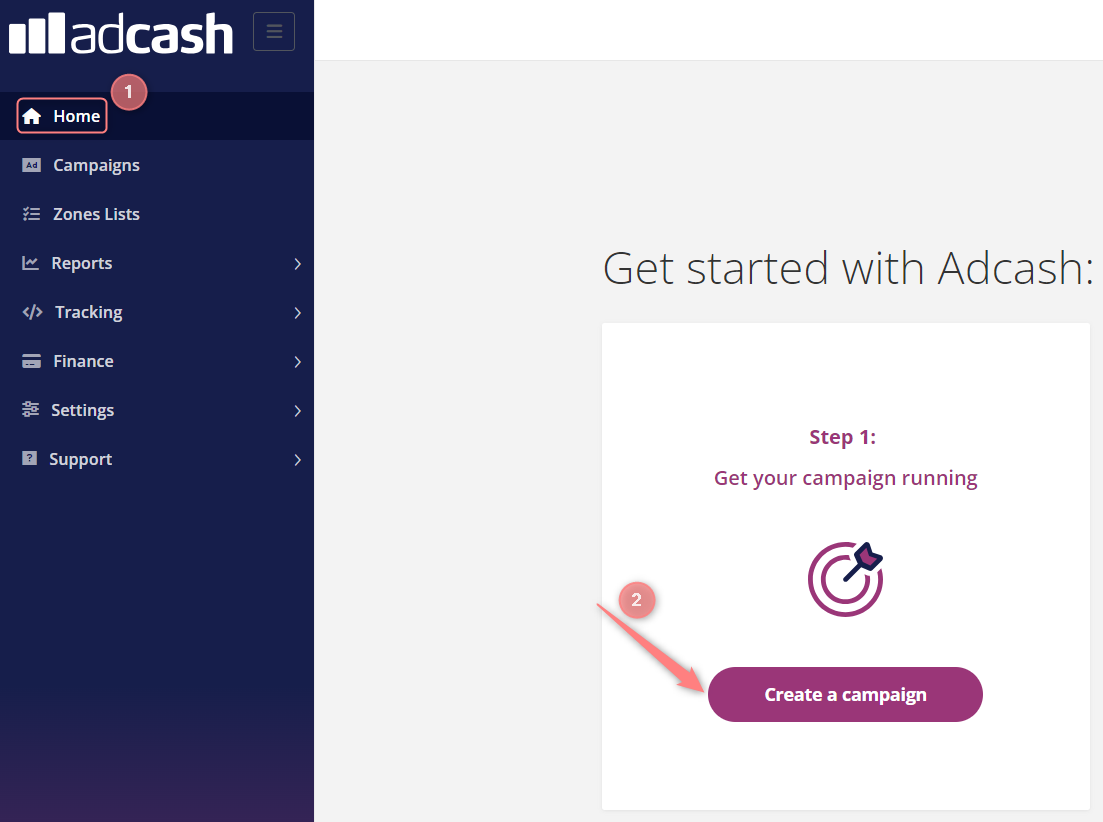
4.1 In your Adcash account go to Home page → Create a campaign:
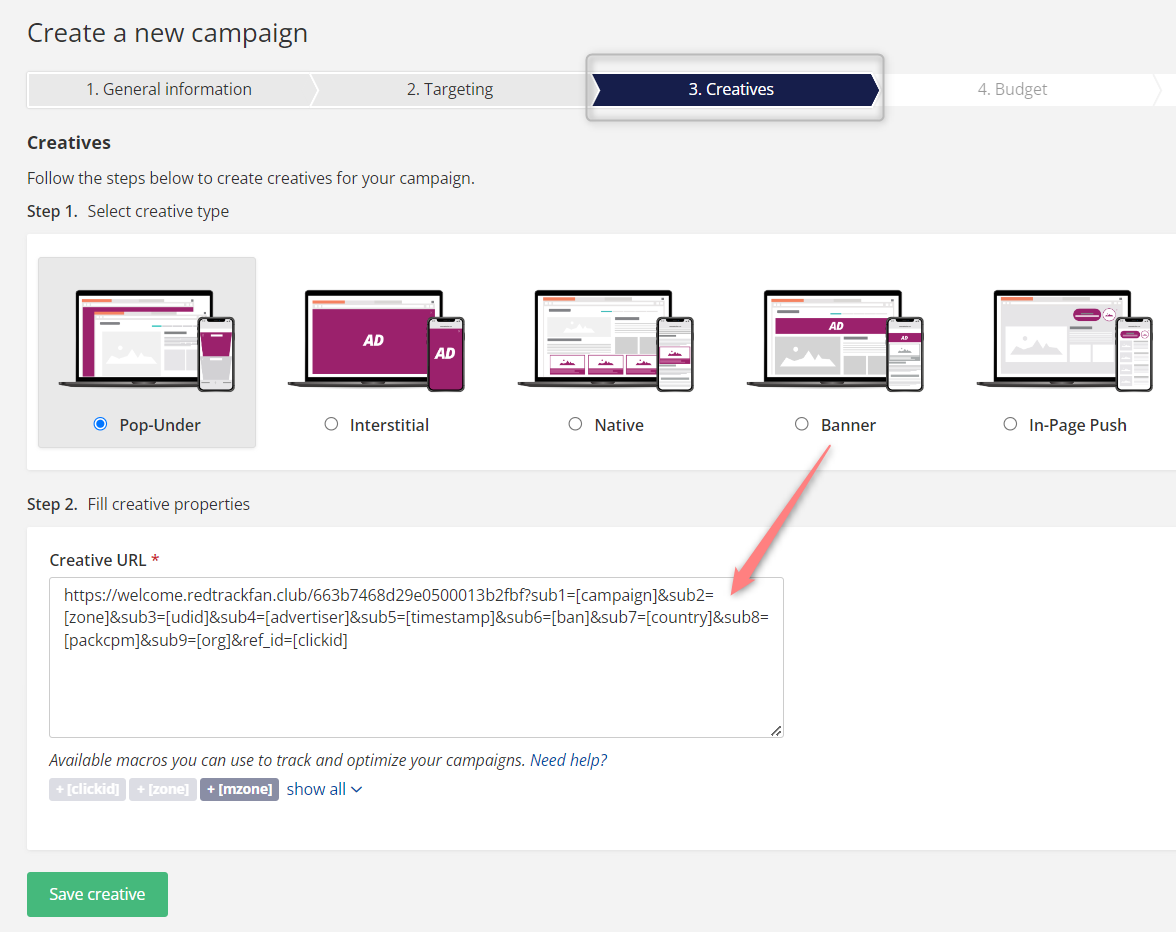
4.2 Fill in all the mandatory fields for Campaign creation → in the Creatives tab choose the needed type of it → paste the tracking URL (copied from RT Campaign in step 3) and paste it into the Creative URL field:
5. Set up a postback URL in RedTrack.
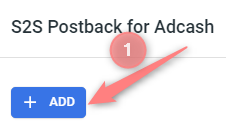
Go to Campaign/Ad Tracking settings (created within step 3) → scroll down to S2S Postback for Adcash/ Ad network webhook for conversions → Add → check if all the needed values and the {ref_id} macro is in place → Save changes:
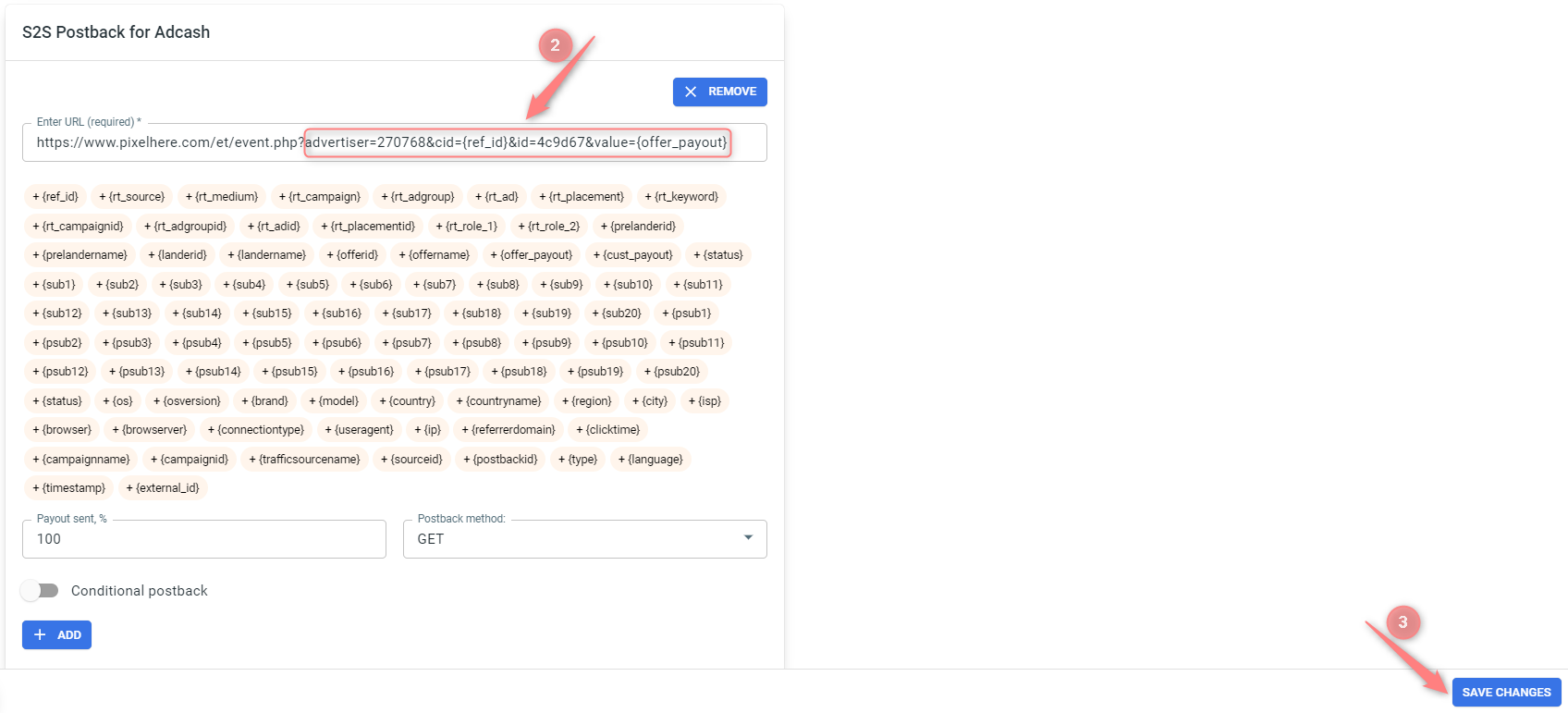
▸ If you changed the Postback URL in the Traffic channel (added/removed some parameters to it), remember to manually update the link in Campaign/Ad Tracking settings as well, as it won’t be generated correctly automatically.
▸ Some Traffic channels require you to edit the Postback with specific parameters for each Campaign/Ad Tracking (e.g., the goal for Exoclick or ap_key for Go2Mobi). If the field remains blank or something like “REPLACE” is stated, that means you need to define the Postback conditions manually.

