

Cost/Ad spend: automatic update
Overview
Auto-update costs feature allows you to retrieve your cost data directly from the traffic channel via the API. It means there is no need to manually apply macros or update costs each time. Enabling this feature can help you with the following:
- Costs are updated not in real time but several times a day, with intervals of 5 to 60 minutes at the Campaign, Adset, and Ad levels. The frequency and level of updates depend on your subscription plan.
- Auto-update costs feature assumes smart automation, so if you have multiple campaigns in your Google or Meta account, you don’t have to create the same number of campaigns in RedTrack, because our smart automation can attach your traffic channel campaigns’ costs to 1 RedTrack campaign.
If your traffic channel is not in the list it means that this feature is not available for you.
Setting up Auto update costs
In order to set up the auto update cost feature, act as follows:
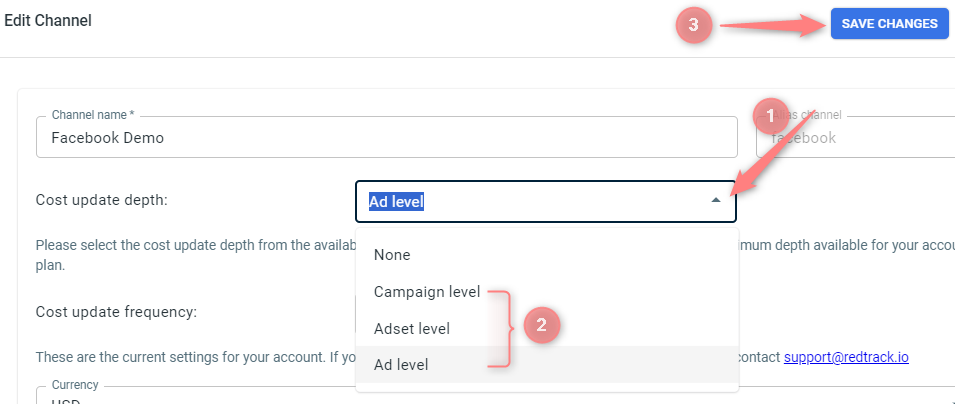
1. In the added traffic channel template, choose the needed levels of Cost update depth and Cost update frequency → Save changes:
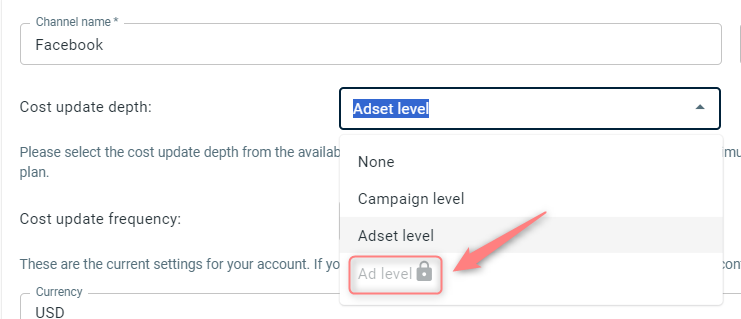
To get this level, please contact support@redtrack.io for further guidance.
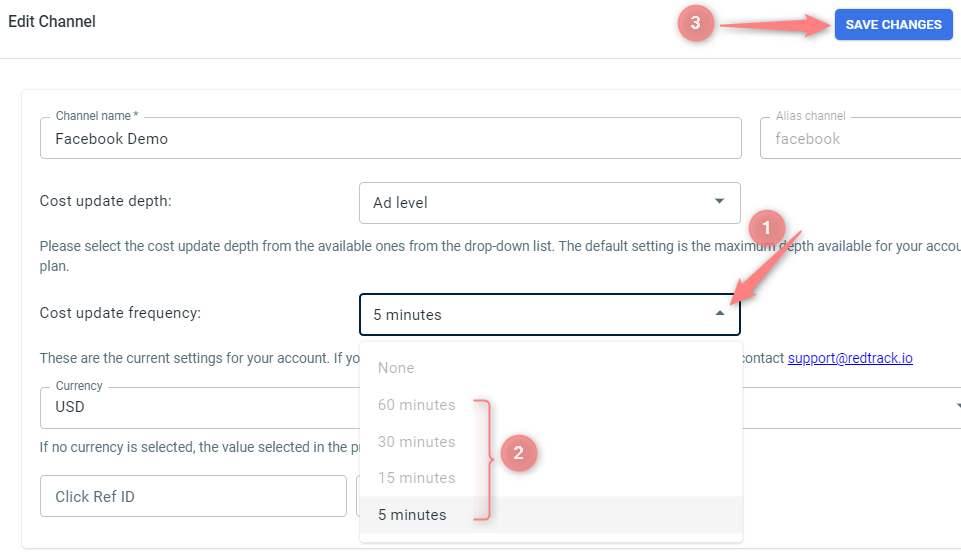
The default value for Cost update frequency is 30 minutes. In order to change it to 15 or 5 minutes please contact support@redtrack.io.
2. Campaigns → Create new campaign → choose the traffic channel where you set the cost update depth and frequency → CPC/ CPM Cost model → fill in the rest of the needed data → Save:
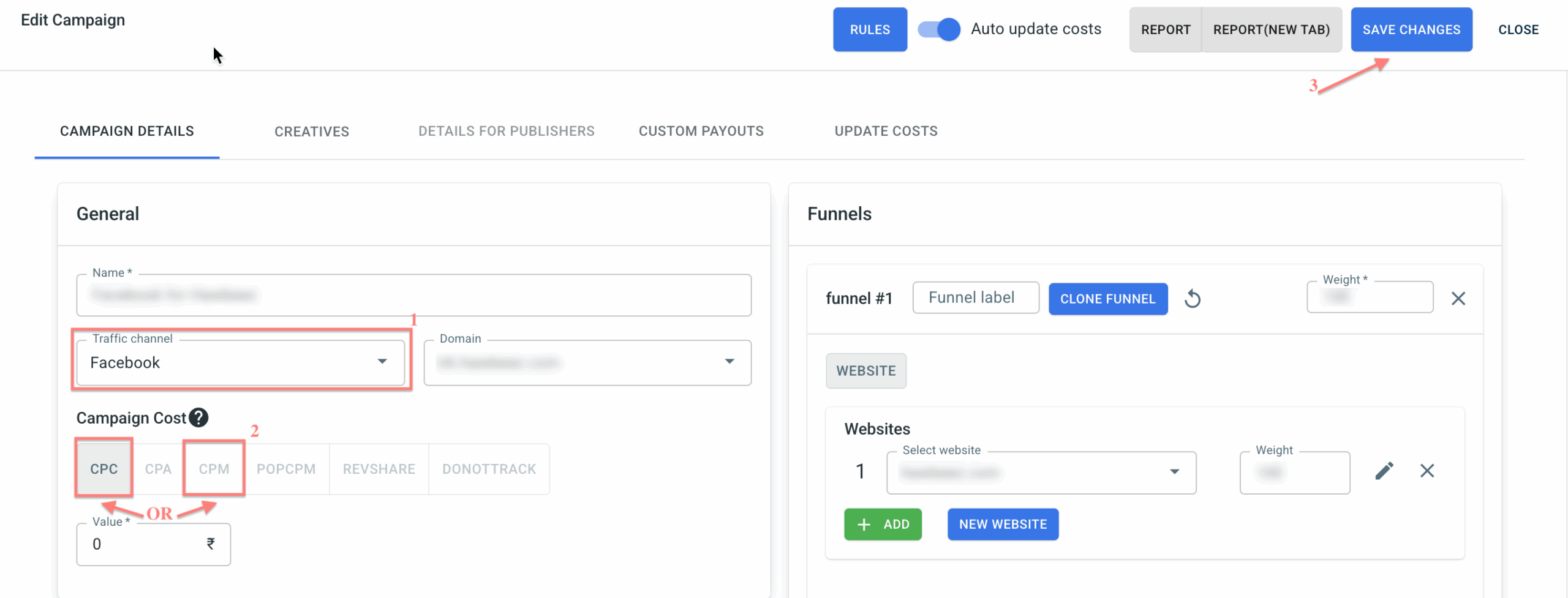
No further action is required, as the Auto update costs toggle is enabled automatically for API-bound traffic channels.
– How to create a campaign in RT (guide for Affiliates)
– How to create an Ad Tracking in RT (guide for Advertisers)

