
Partnership portal: coupon tracking
A coupon is a unique code assigned to a partner or publisher. When a customer uses this code, the conversion is attributed to that partner. It doesn’t create a discount for the customer — it’s purely a way to credit a partner for a sale, using a code instead of a click.
Normally, RedTrack tracks clicks to identify which partner referred a customer. A coupon serves a similar purpose, but instead of relying on a click, it uses a code entered at checkout. Conversions are attributed based on the coupon code used, and the coupon takes priority over any existing click data. This means the conversion is credited to the partner whose code was applied. This is particularly useful when there is no click to track—for example, when an influencer shares a code in a podcast or video. Even if the customer does not click a link and no cookie is recorded, the code entered at checkout still allows the sale to be attributed to the correct partner.
To create a coupon, you need to set your coupon token for a publisher/partner and coupon value for the campaign. When combined, they will give a unique publisher/partner coupon for a campaign that will look like “token-value”.
Set Up Coupon Tracking
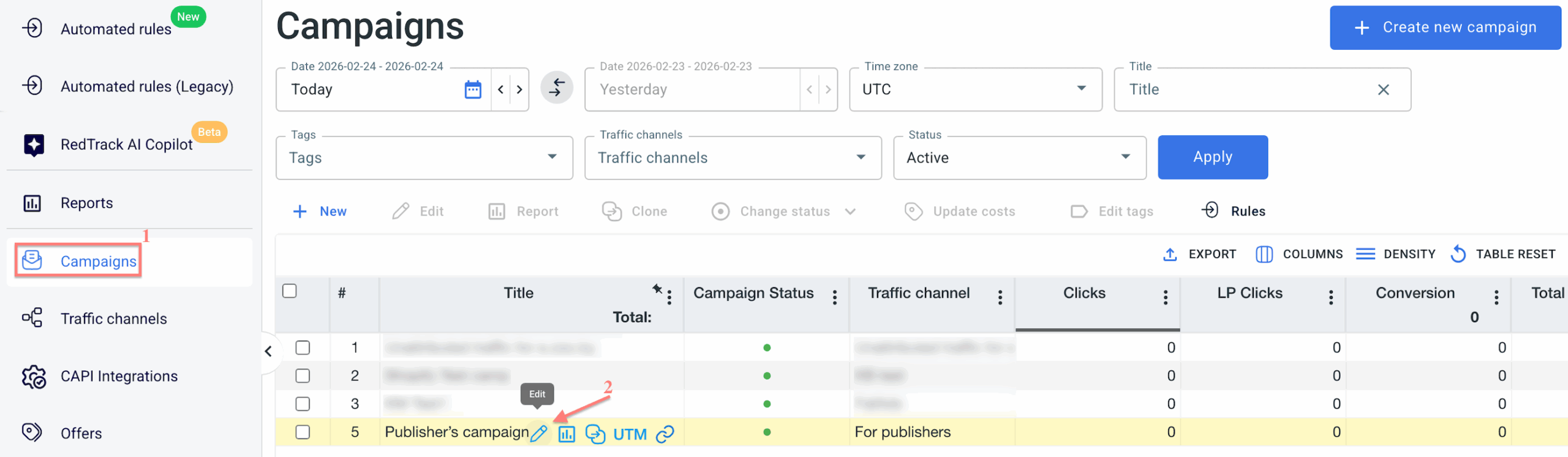
1. Go to Campaigns → click Edit next to the created campaign:
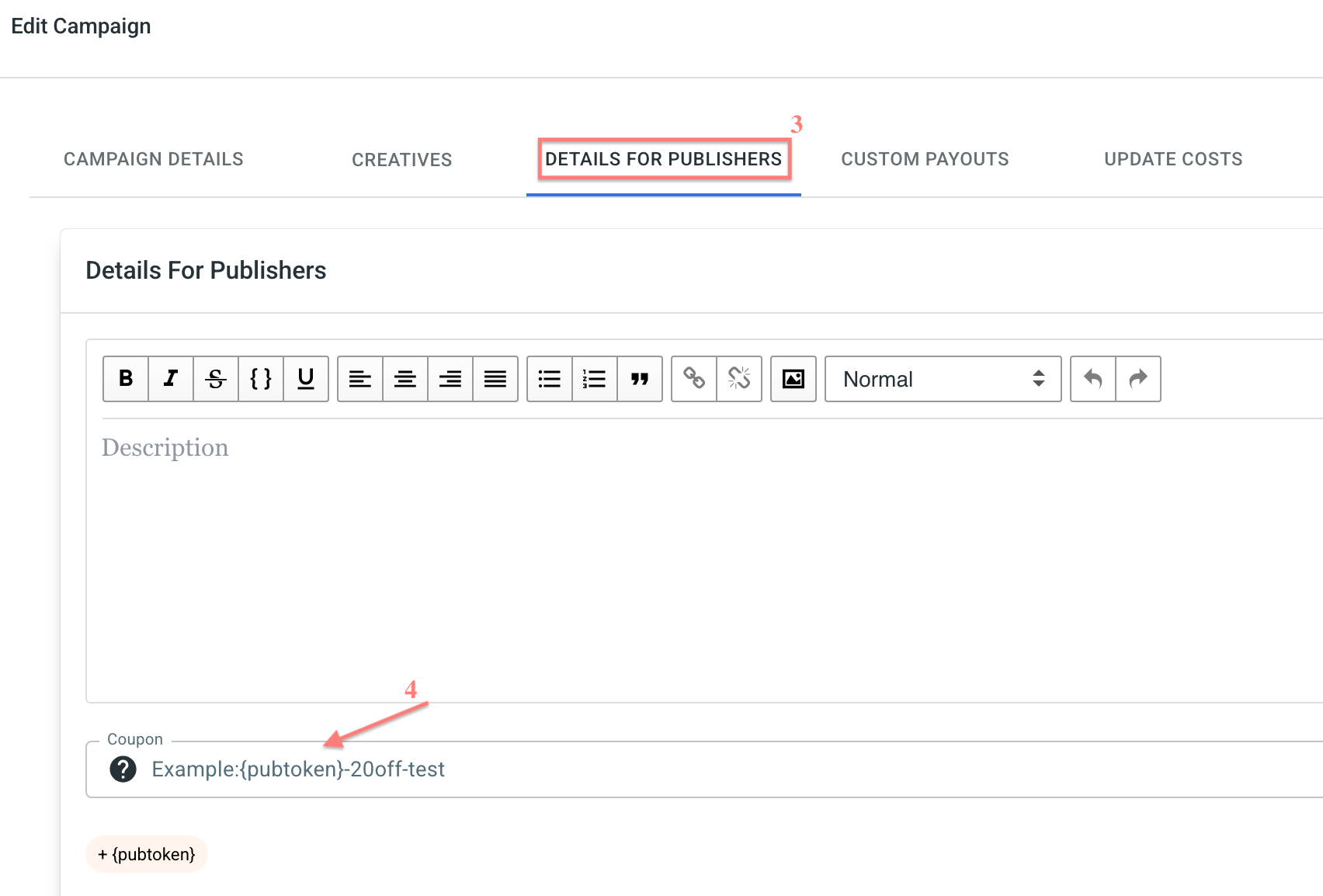
2. Go to the Details For Publishers tab → find the field Coupon → add the {pubtoken} token and the value to it → click Save detailes:
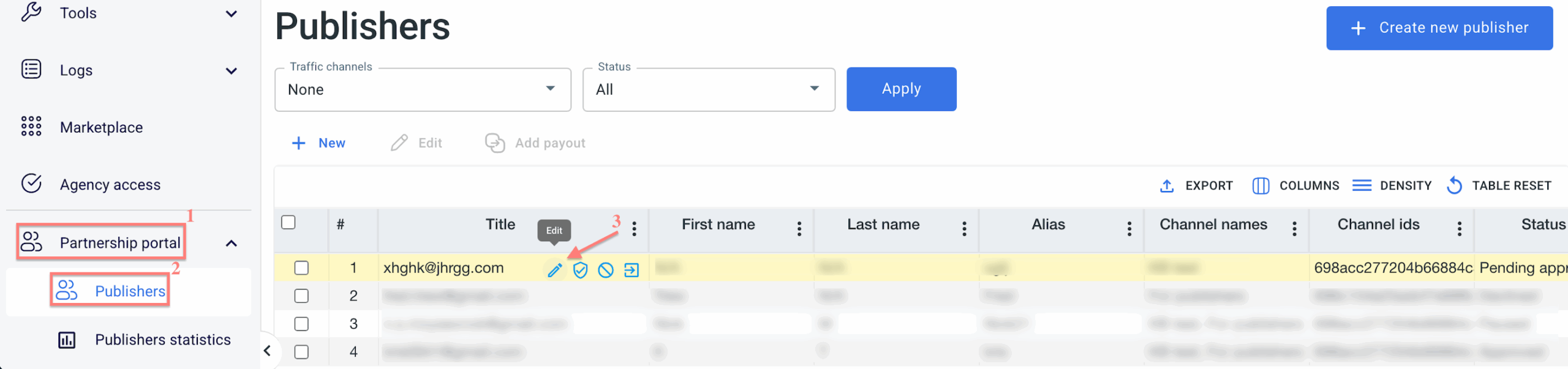
3. Go to Partnership portal → Publishers → choose a publisher and click Edit:
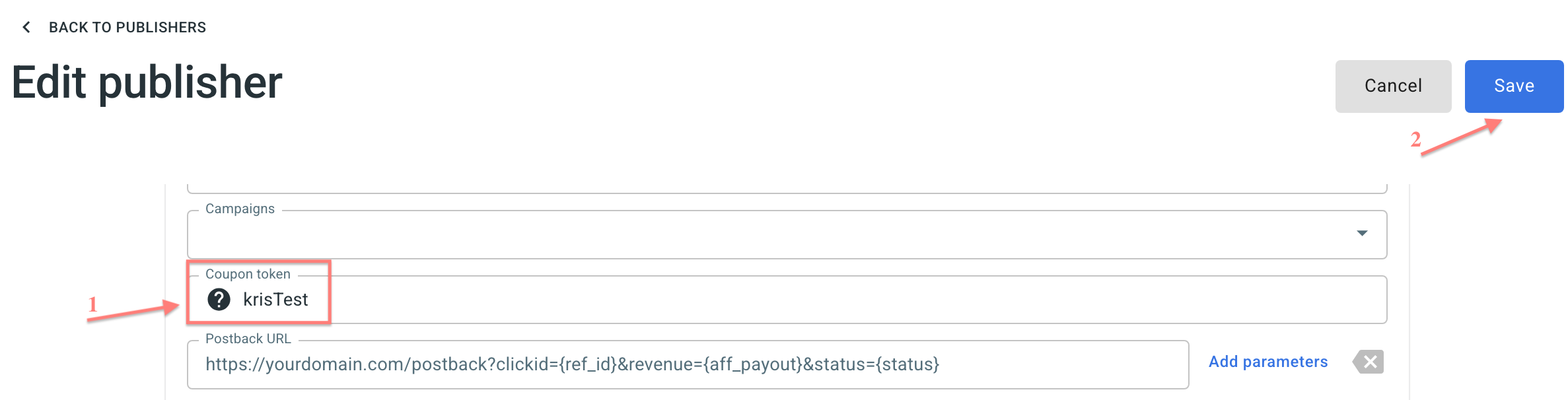
4. Scroll down to the Coupon token field and set your coupon → Save:
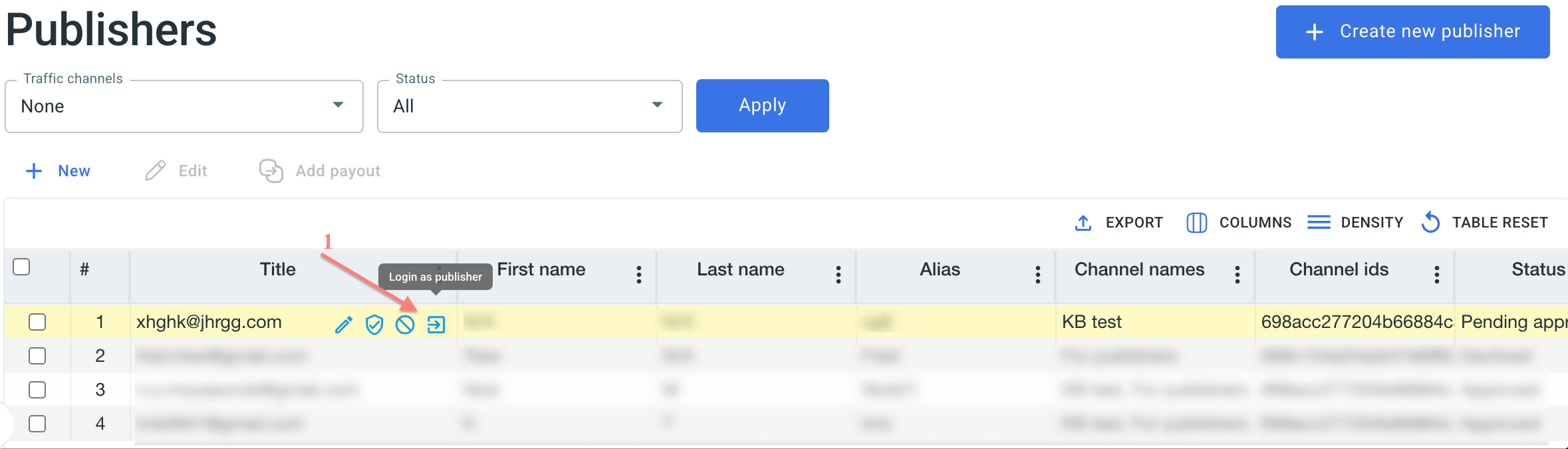
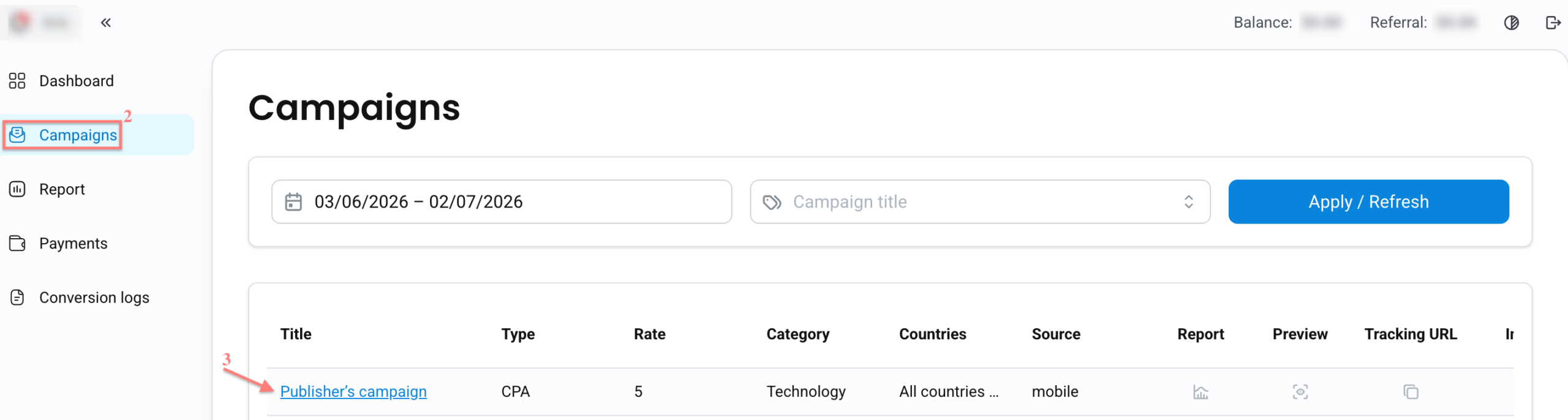
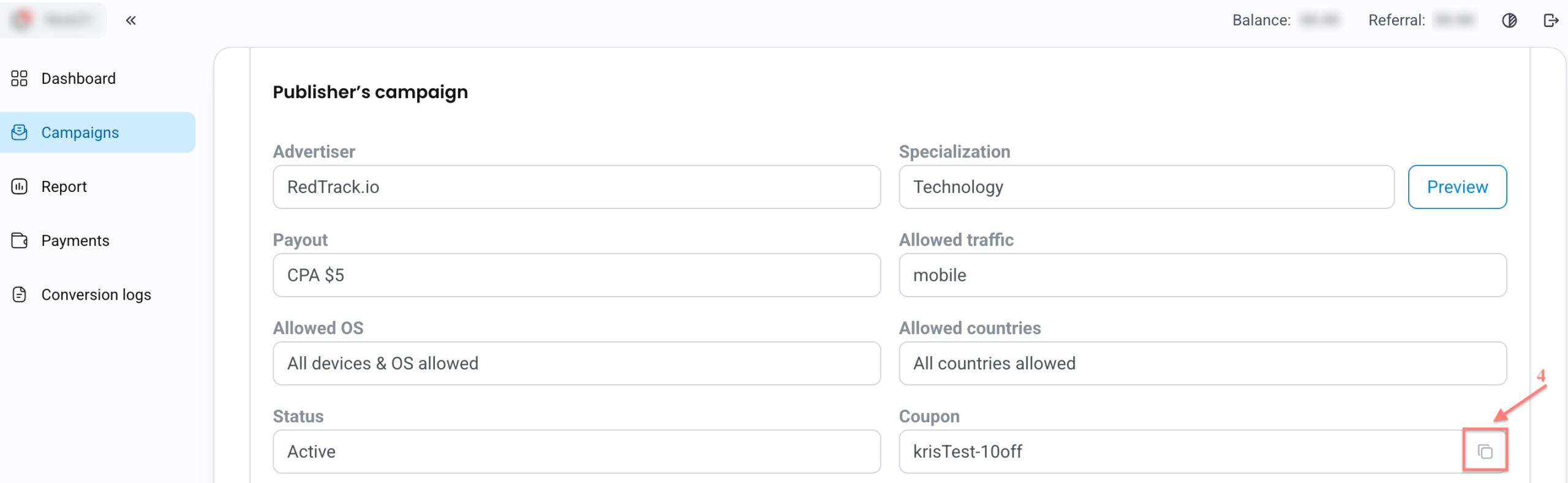
5. Now, log in as a publisher → Campaigns tab → click the target campaign → check the coupon. This is how your publishers/partners will see it on their side. They can copy it and use it for tracking: