

Landing page protection
Protecting a landing page from spies is becoming increasingly popular and important nowadays. RedTrack gives you options on how to hide your funnel a little bit in both cases:
1. Meta ads library entries
You have found a nice way to promote a 3rd party product and for sure want to hide the winning combination from those who plan to “rip and run”. You cannot hide the landing page or creatives but you can hide the offer which makes the “rip and run” process complicated since without the target offer landing page information is useless.
Since the clicks from the ads library do not have the real dynamic parameters, only the Meta clickid, you can filter those empty parameters in RedTrack to be redirected somewhere else (google.com for instance).
1. Set up the fallback URL.
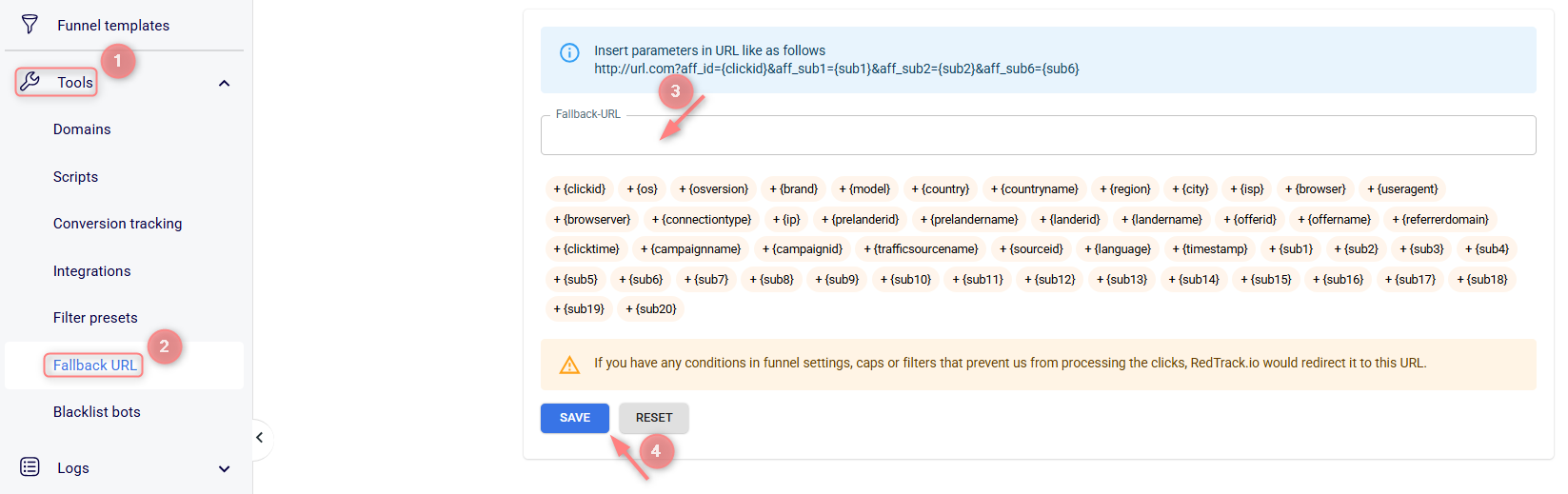
Tools → Fallback URL → add the link where the non-matching traffic is going to be redirected. It can be a Meta page, Google search, some other offer you promote, but not from that campaign, etc..
2. In your RedTrack Campaign settings, go to the funnel filters → add filter → Subs → Exclude → scroll down to the sub6 and place {{campaign.name}} in the field:
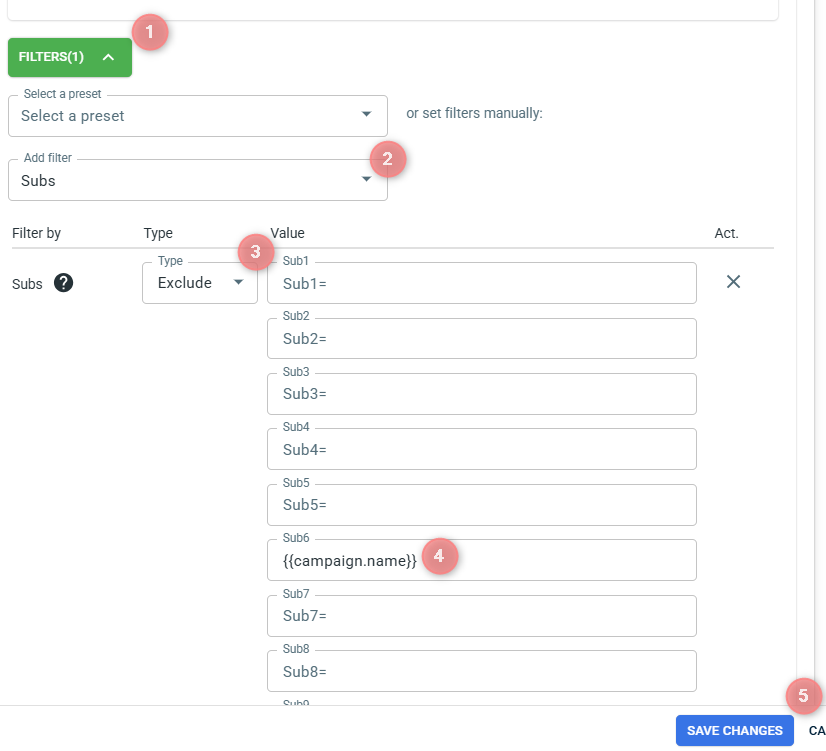
Now all the traffic that comes with the empty default {{campaign.name}} parameter will be redirected to the fallback URL. You can also add other empty dynamic parameters, but the one we suggest is enough.
2. Direct entries from spy tools
By using this method, a user will be able to visit the landing for 5 minutes only. After that, the same user will not be able to do that. Your landing page will be opened for the real entries, but not for the repetitive ones.
Example:
This is a direct tracking link (Click URL) which users can always have access to:
https://tracking.domain.com/5c5808c2ec173600012aa1da?sub1={pln}&sub2={uid}&sub3={crid}&sub4={plid}&sub5={campaign}&sub6={cc}&sub7={isp}&sub8={country}&sub9={ip}&ref_id={clickid}&cost=1
When you click on it, you are redirected to a page with a URL like this:
http://your-landing-page-url.com/?lpkey=ab53ff920f5569d54e6d5d0ecb803774.1549368473&rdtrckcbp=1549368173

However, when you try to access this page without a tracking link by clicking http://your-landing-page-url.com, you will only see a blank page:

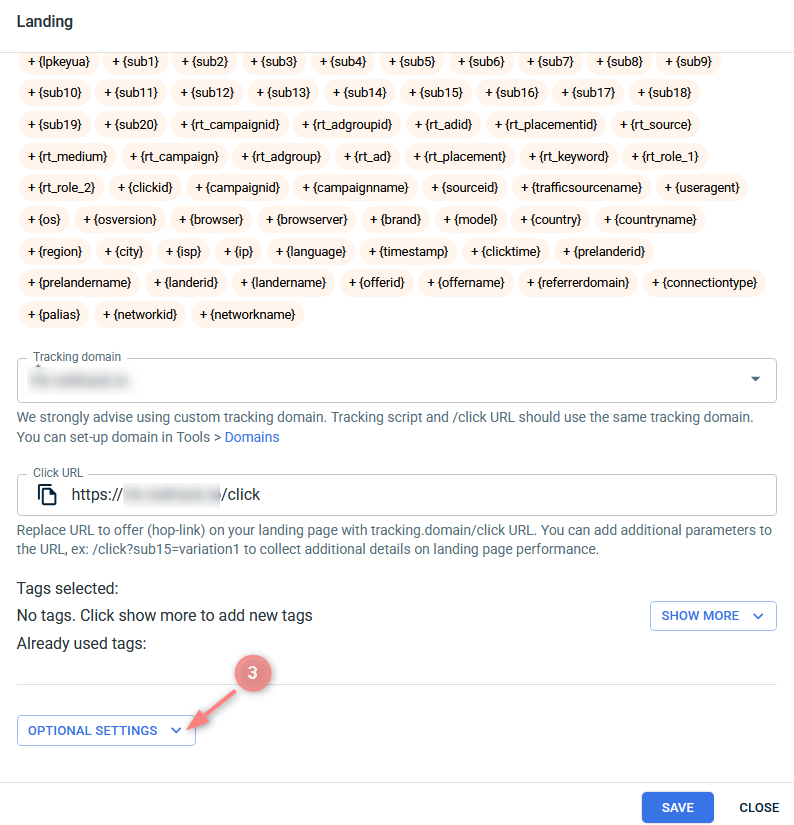
1. Add ?lpkeyua={lpkeyua} at the end of your landing page URL.
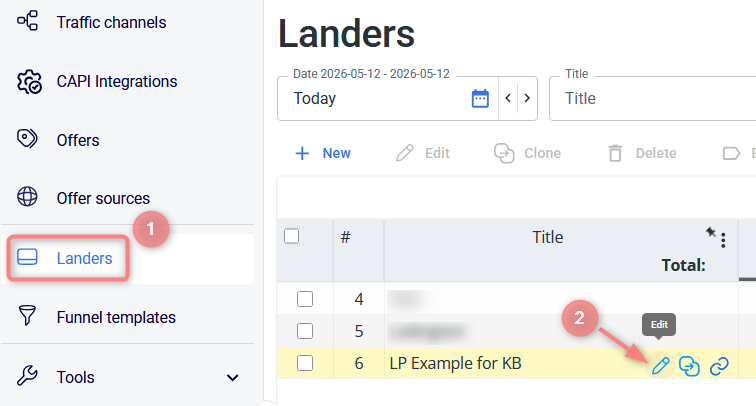
2. Landers → Edit → Optional settings → LP protect script → copy the LP protect script (it is the same for all of your landing pages) to your landing page body.
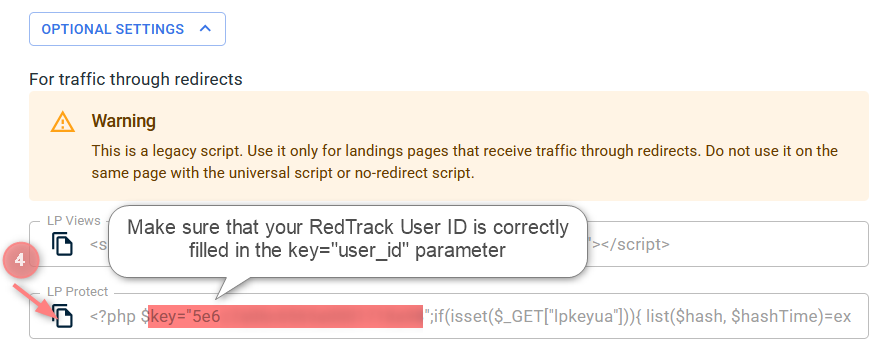
→ When copying the LP Protect script, make sure that your RedTrack User ID is correctly filled in the key=”user_id” parameter. This value is automatically generated in the script. If the field appears empty for any reason, email support@redtrack.io for assistance. Without a valid User ID, the landing page protection will not work properly.
→ If your landing page contains modal windows or an iframe, do not place the script inside the <body> section. Instead, place it at the end of the <head> section to ensure it functions correctly.
→ The script works only with a .php extension. Make sure your hosting environment supports .php.

