


Hotmart and RedTrack

Hotmart is a platform that enables individuals and businesses to create, host, and sell digital products like online courses, ebooks, and membership areas.
Integration
Setup in RedTrack
1. Add a custom tracking domain
1. Add a CNAME record pointing to your RedTrack default domain in your domain registrar.
2. On the left menu go to Tools → Domains → Create new domain.
3. Add the integrated domain to your RedTrack account and activate the Free SSL option.
2. Add Hotmart as an offer source in RedTrack
Offer sources / Brands → New From Scratch → add Hotmart → Save:

3. Add Hotmart URL to RedTrack
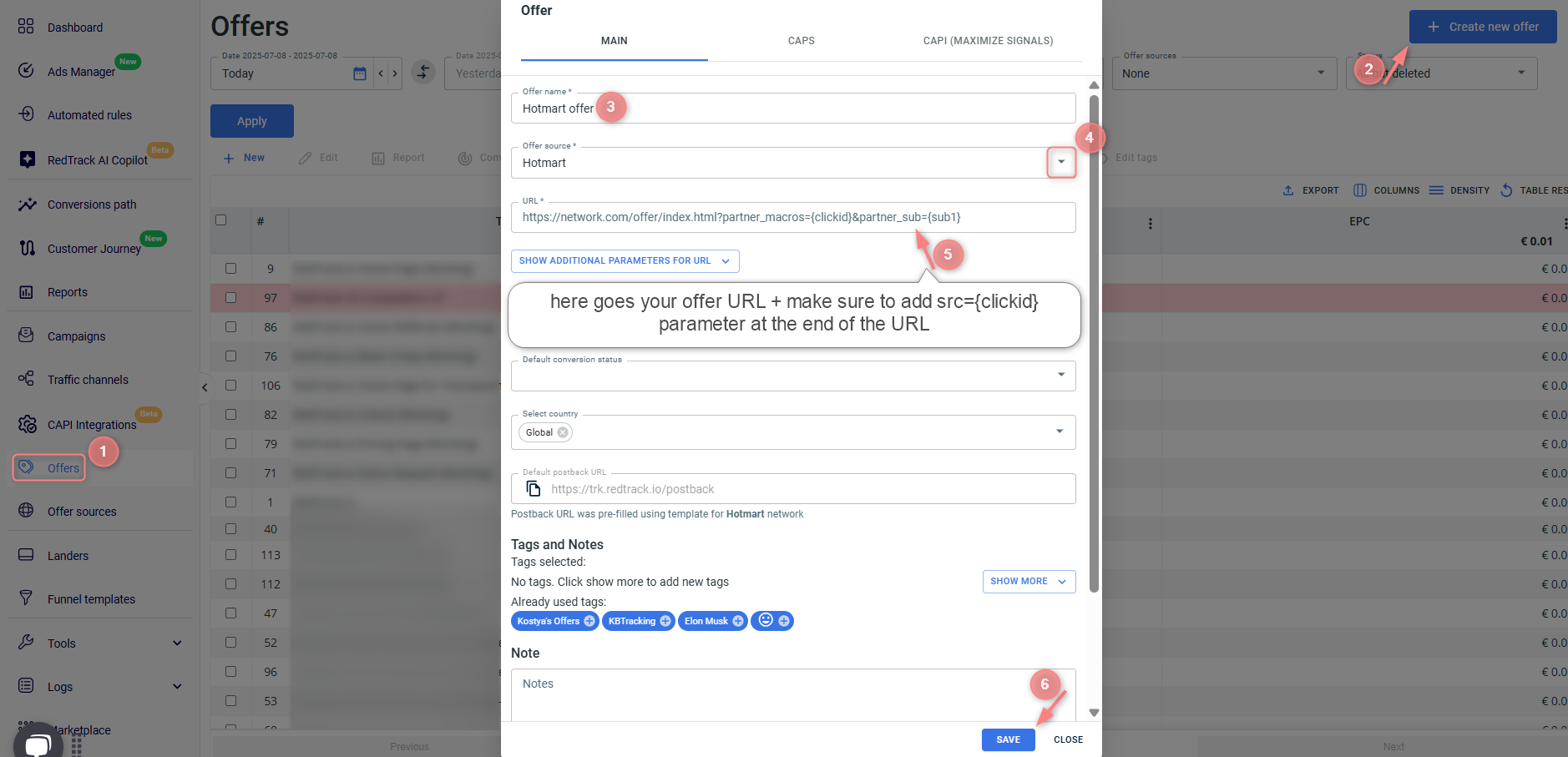
RedTrack → Offers/Websites → Create new → give it a name and choose Hotmart as the offer source/Brand → paste the URL from Hotmart to the URL field and add src={clickid} → Save:
4. Add your traffic channel
Traffic channels → New From template/New From Scratch → Add.
5. Create a campaign
Campaigns → Create new campaign → fill in the info in all the sections and tabs
– Campaign setup (guide for Affiliates)
– Campaign setup (guide for Advertisers)
Setup in Hotmart
Configure the webhook
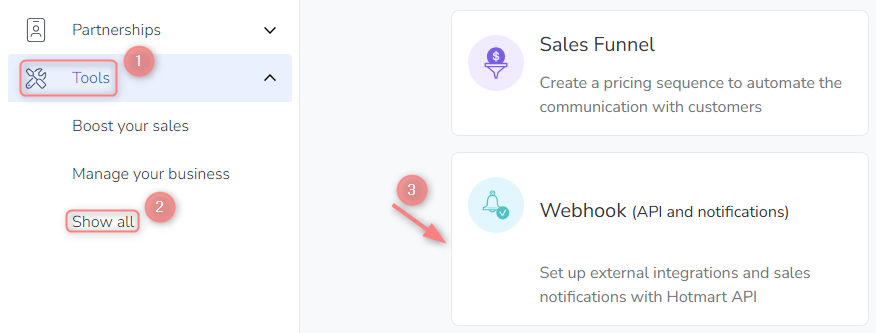
1. In your Hotmart account, go to Tools → Show all → Webhook → Register Webhook:

2. Fill in the mandatory fields in the pop-up form → Save:
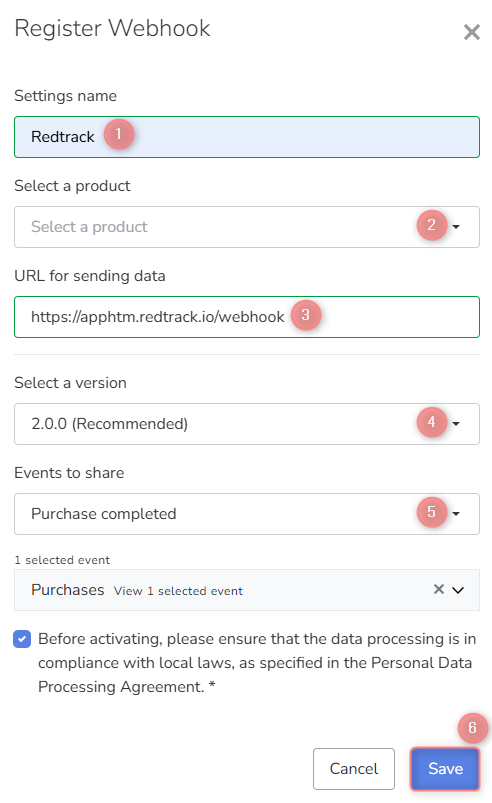
Fields explained:
Give your Webhook a name to distinguish it from others.
Choose All products if you want to apply this webhook to all your added products.
Copy the following webhook URL: https://apphtm.redtrack.io/webhook
Select the Recommended option (i.e., the latest). At this moment it’s 2.0.0
The setup webhook only supports the Purchase event, which may include the following statuses:
- Purchase completed
- Purchase approved

