

Partnership portal: referral program
What Is the Referral Program?
The Referral Program allows publishers/partners to earn additional commission by inviting new publishers to your platform. When a referred publisher generates conversions, the original publisher (referrer) receives a percentage of that revenue. The commission is based on the campaign payout settings and can follow either the campaign cost model or custom payout rules.
The Referral Program can help you:
- Scale publisher acquisition through referrals.
- Incentivize trusted partners to attract new publishers.
- Create multi-level commission structures.
- Reduce manual partner recruitment efforts.
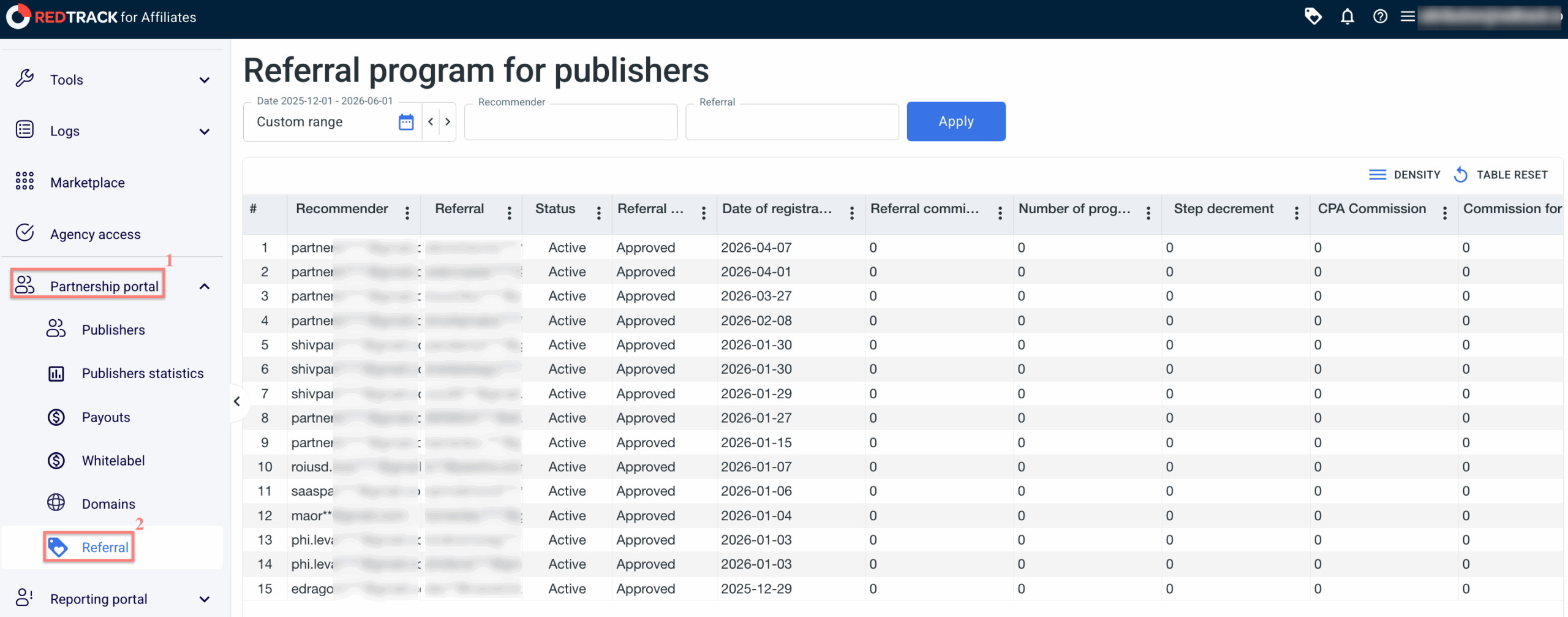
In the Referral section, you can monitor all referral relationships, statuses, and earned commissions:
How to Enable the Referral Program
There are three possible setup scenarios depending on your needs.
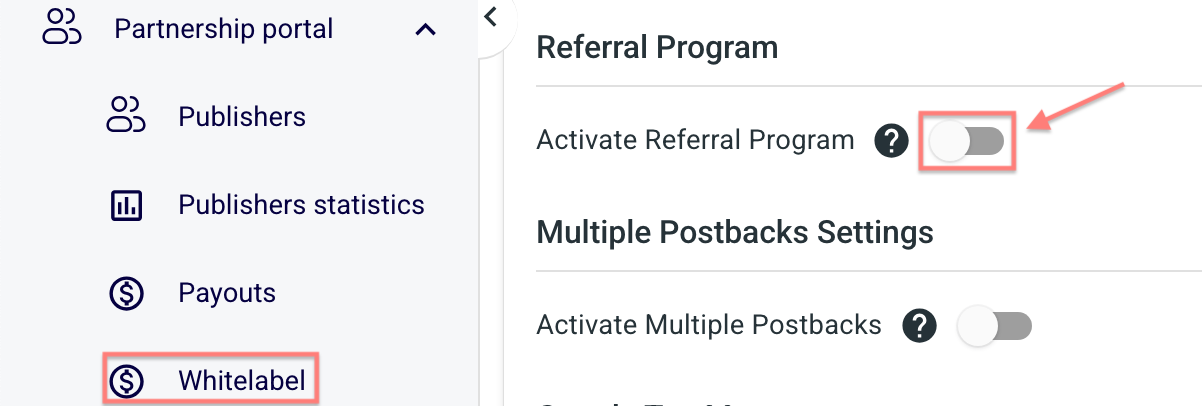
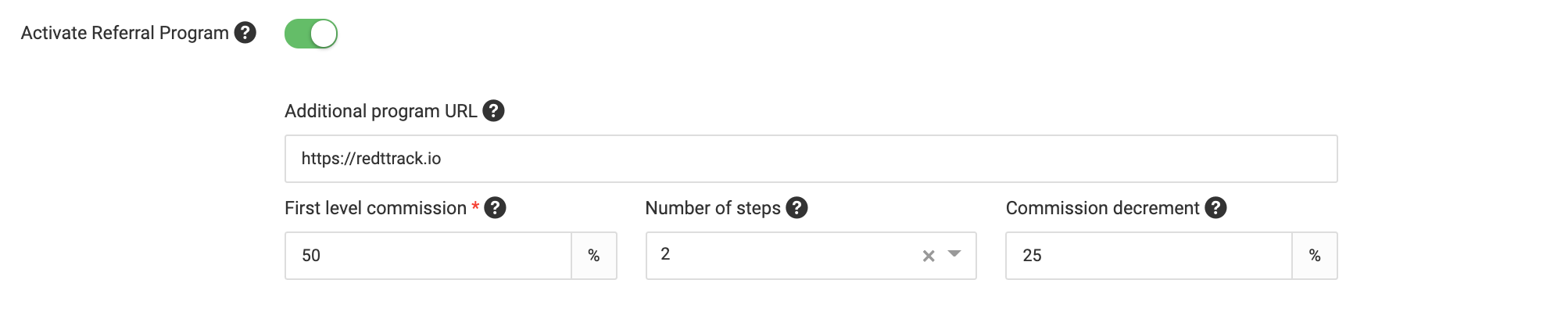
If you want all publishers within a Whitelabel to participate, go to Partnership Portal → Whitelabel → Settings → enable Activate Referral Program → fill in the required fields → Save:

Fields explained
- Additional program URL – any custom link you want to use for the purpose. It can be a link with your own backend integration or some API integration. We will still add a unique value to the link so the system can identify the referral and attach him to your account correctly.
- First level commission – a commission earned by a publisher/partner who has attracted the referrer directly.
- Number of steps – the depth of your referral program (how many publishers/partners in the funnel will be able to get the commission from a newly acquired referral).
- Commission decrement – how much less the publishers/partners in the funnel will get compared to the one who has attracted the referral directly.
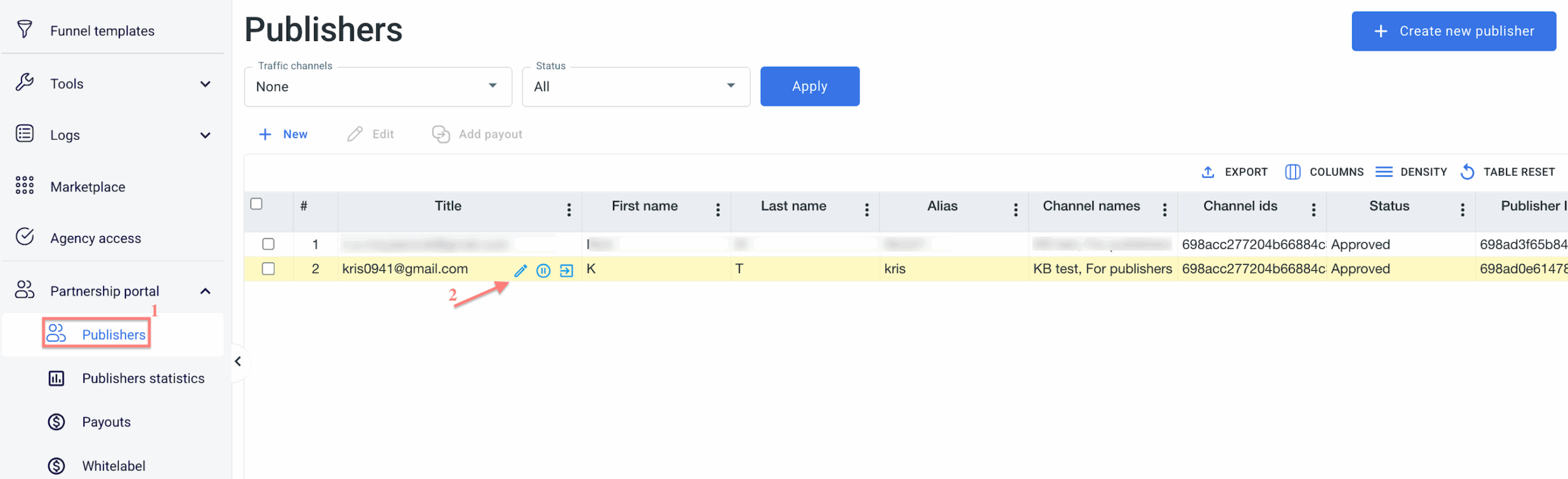
If you want to reward selected publishers only, go to Partnership Portal → Publishers → select the required publisher → Edit → Settings section → enable Activate Referral Program → fill in the required fields → Save Changes:

Fields explained
- Additional program URL – any custom link you want to use for the purpose. It can be a link with your own backend integration or some API integration. We will still add a unique value to the link so the system can identify the referral and attach him to your account correctly.
- First level commission – a commission earned by a publisher/partner who has attracted the referrer directly.
- Number of steps – the depth of your referral program (how many publishers/partners in the funnel will be able to get the commission from a newly acquired referral).
- Commission decrement – how much less the publishers/partners in the funnel will get compared to the one who has attracted the referral directly.
You can combine both approaches:
- Apply a general referral structure for all publishers.
- Override it for specific publishers with custom settings.
To implement these scenarios, use the settings from both tabs “For all publishers” and “For certain publishers only“.
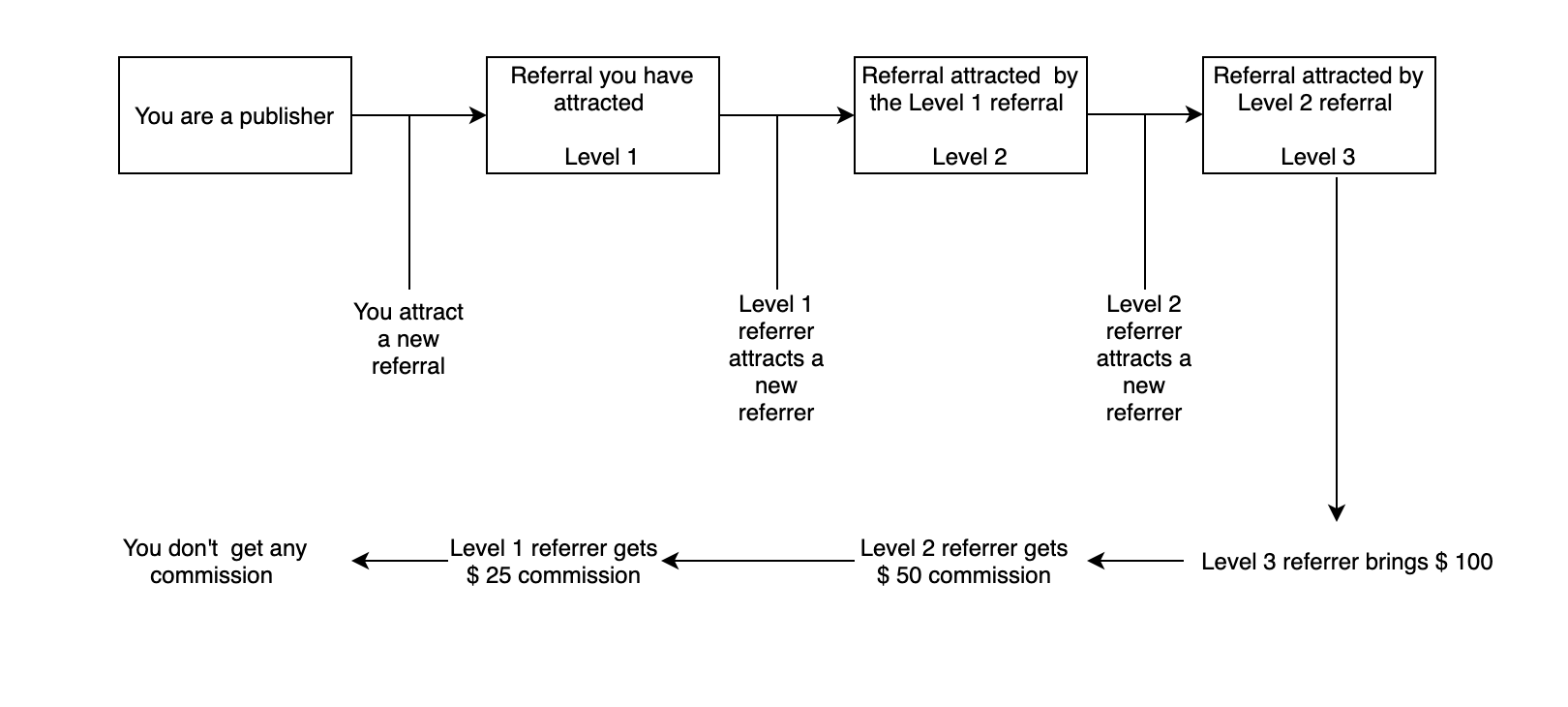
How Referral Commission Is Calculated
Referral commissions are distributed based on campaign payouts and your referral program settings.
Each level in the referral chain receives a percentage of the revenue. The commission decreases with each level according to the Commission Decrement.
Let’s imagine we have the following setup for a referral program:
· First level commission is 50%
· Number of steps is 2
· Commission decrement is 25%
How this scenario will work out: