


TUNE and RedTrack

TUNE (aka HasOffers) is a performance marketing and affiliate network platform used to manage advertisers, publishers, and CPA-based campaigns.
Integration
1. Add a custom tracking domain
1. Add a CNAME record pointing to your RedTrack default domain in your domain registrar.
2. On the left menu, go to Tools → Domains → Create new domain.
3. The default domain is stated right at the top and looks like smth.rdtk.io.
4. Add the integrated domain to your RedTrack account and activate the Free SSL option.
2. Set up the conversion events
In your RT account, go to Tools → Conversion tracking → Conversion type → add the events you want to track → Save.
3. Activate the TUNE template in RedTrack
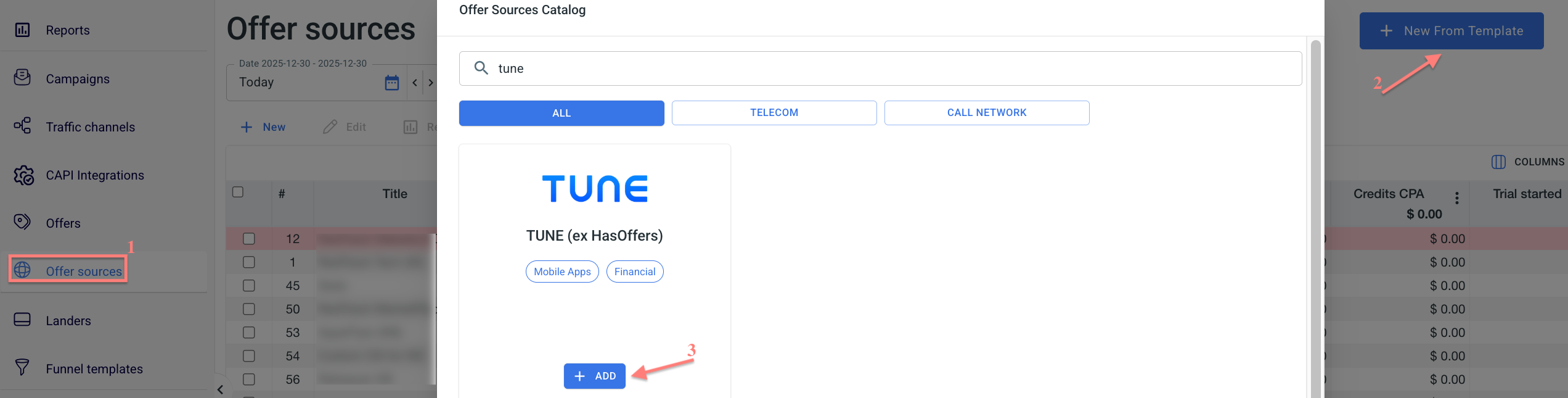
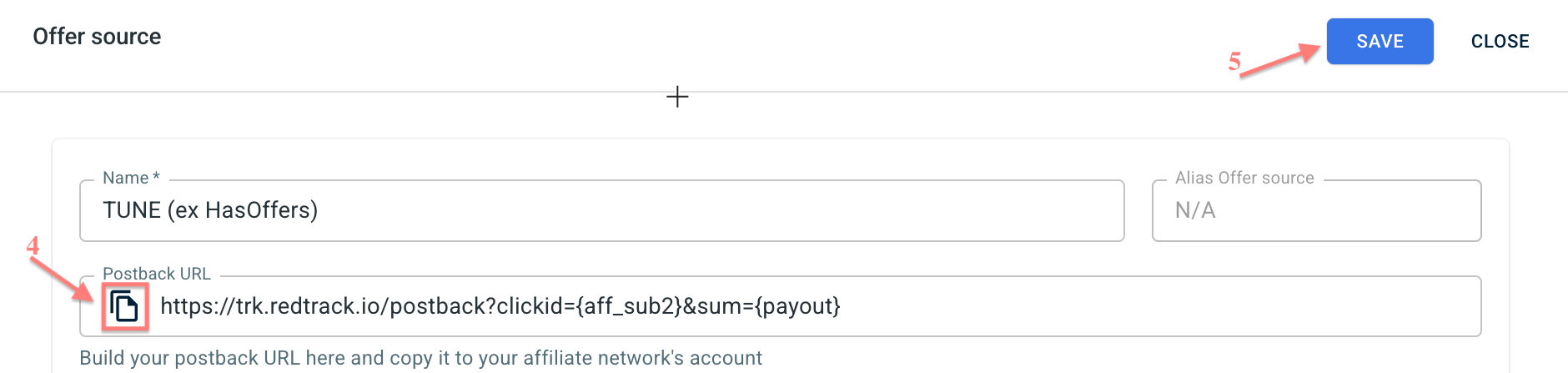
Offer sources→ New from Template→ find TUNE template→ Add → copy the Postback URL→ Save the template:
4. Set up postback in TUNE
In your TUNE account, go to Partners → Conversion Pixels/URLs → Add a Conversion Pixel/URL → paste the postback URL from RedTrack (copied in step 3) → Save.
5. Obtain the TUNE tracking link
1. In your TUNE account, navigate to the Offers → Manage Offers → select your offer → Details → copy the link.
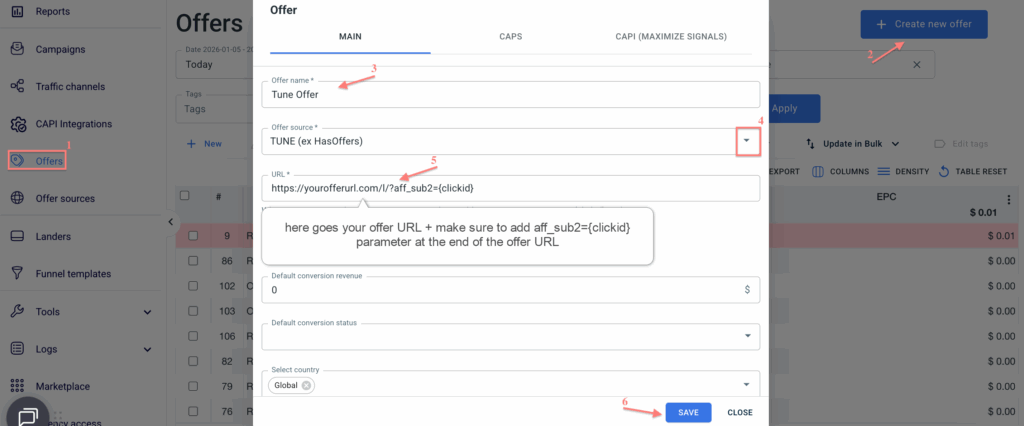
2. RedTrack→ Offers→ New→ give the offer a name and choose TUNE as the Offer Source→ paste the URL from TUNE (copied within step 5) → add aff_sub2={clickid} to the URL→ Save:
6. Add your traffic channel
Traffic channels → New From template/New From Scratch → Add.
7. Create a campaign
Campaigns → Create new campaign → fill in the info in all the sections and tabs:
- General: Give it the name, and choose the traffic channel, tracking domain, and cost-tracking method.
- Funnels: Choose the type of funnel you are using and add the elements from the drop-downs.
- S2S postback: This field will be filled in automatically based on the data you have added to your traffic channel settings.
- Auto update costs: Remember to turn the toggle on if you are working with the API-integrated traffic channel.

