Novicklick and RedTrack

Noviclick is focused on performance and conversions. With its advanced targeting options and fraud filter Noviclick makes sure that the clients get real quality clicks that are proven to have high interaction and conversion rates.
Integration
Important before you start
- Custom tracking domain
- Offer source and Offer (if you’re an Affiliate)/ Store and Store tracking URL (if you’re an Advertiser)
- Conversion types you’re planning to work with
Integration steps
1. Get YourPersonalKey from Nociclick
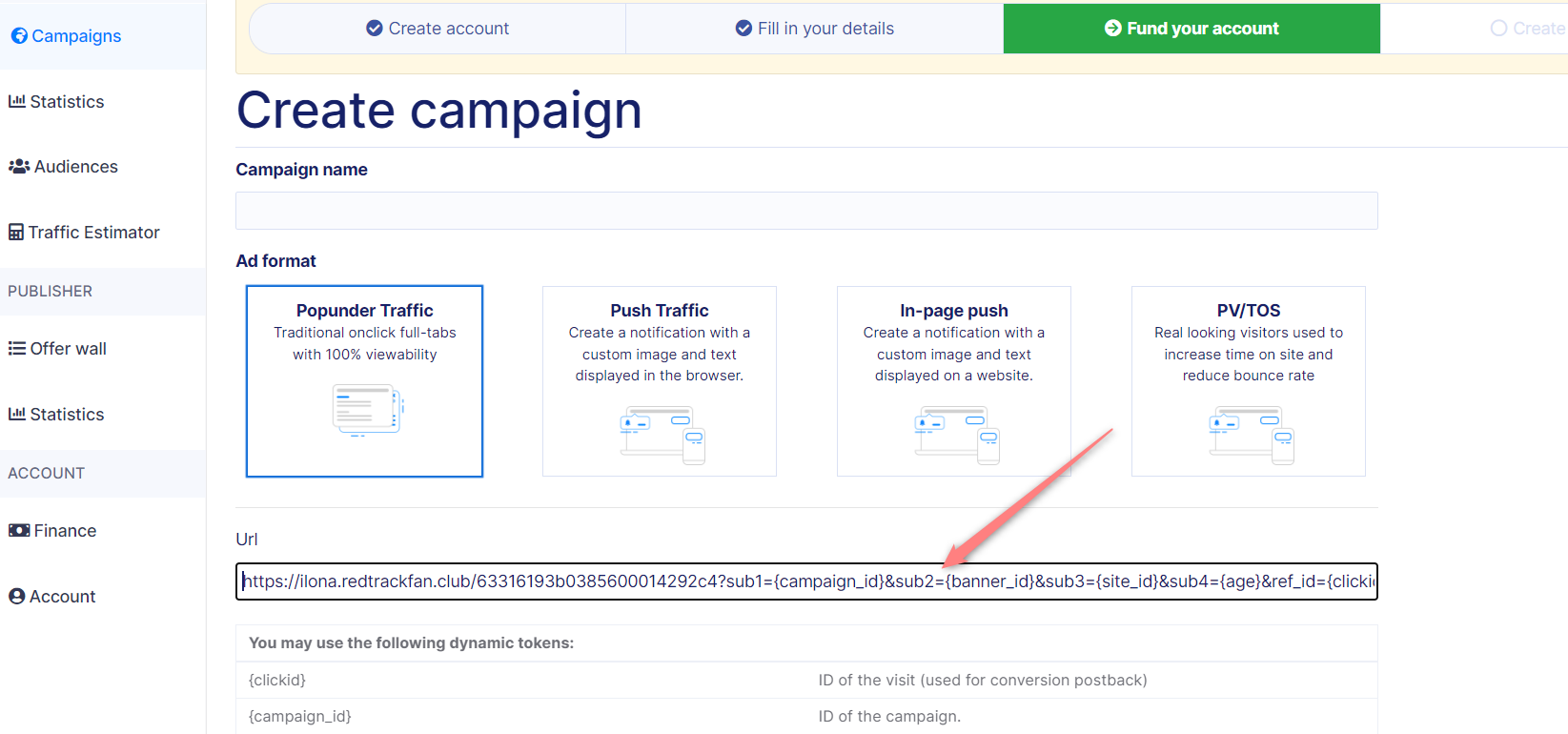
1.1 In your Novicklick account go to Campaigns → Create campaign:

1.2 Scroll down and copy YourPersonalKey from the end of the Postback URL:

2. Add Noviclick as a traffic channel in RedTrack and add your personal key in the Postback URL
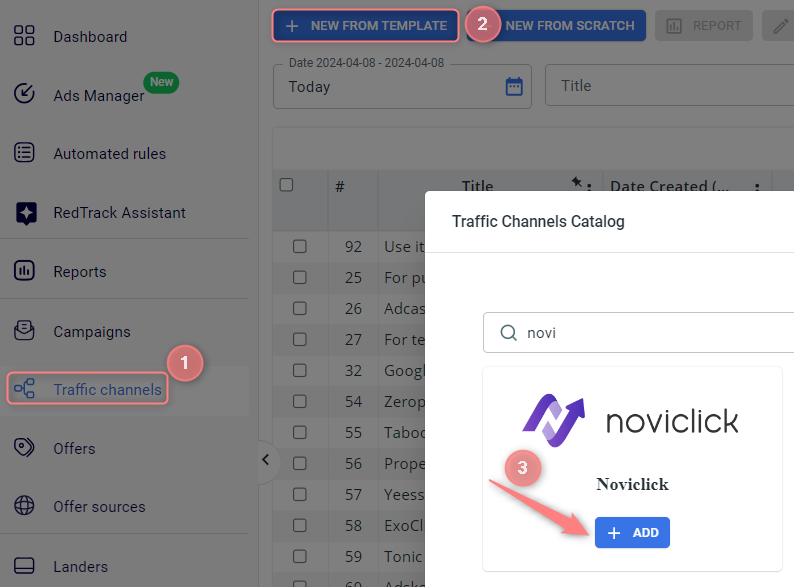
2.1 Go to your RedTrack account → Traffic channels → New from template → find Noviclick → Add:
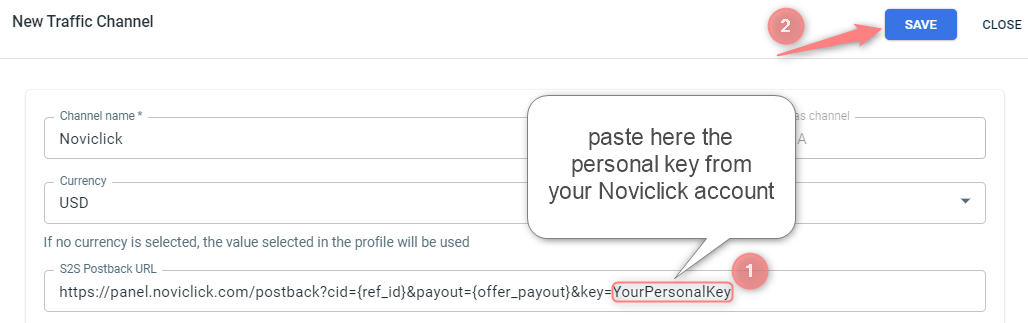
2.2 Paste YourPersonalKey (copied within step 1.2) to the end of the S2S Postback URL → Save:
3. Create a campaign/ad tracking in RedTrack
To create a campaign/ad tracking in RT act depending on your account type:
3.1 Campaigns → Create new campaign → fill in the info in all the sections and tabs:
- General: Give it the name, and choose the traffic channel, tracking domain, and cost-tracking method.
- Funnels: Choose the type of funnel you are using and add the elements from the drop-downs.
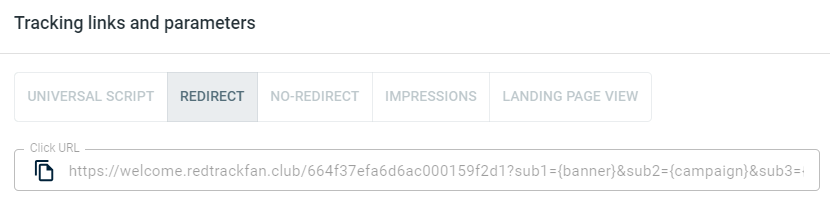
3.2 Once the Campaign is saved go to Tracking links and parameters → copy the automatically generated click URL (your tracking link):
3.1 Ad Tracking → New Ad Tracking → fill in the info in all the sections and tabs:
- General: Give it the name, and choose the traffic channel, and cost-tracking method.
- Funnels: Choose the type of funnel you are using and add the elements from the drop-downs.
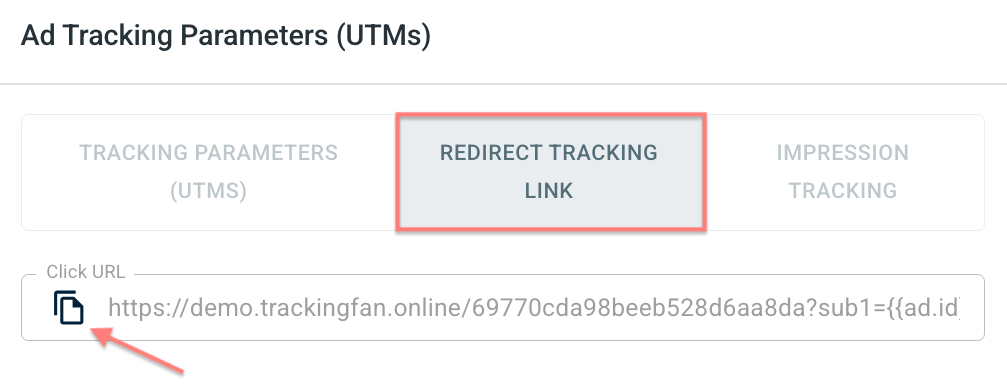
3.2 Once the Ad Tracking is saved go to Ad Tracking Parameters (UTMs) → copy Click URL from the Redirect tracking link tab:
– Universal script
– No-redirect
– Impressions
3.3 In your Campaign/Ad Tracking settings go to the section S2S Postback for Noviclick/ Ad network webhook for conversions → press Add → check if the value for the key parameter is in place → Save changes:
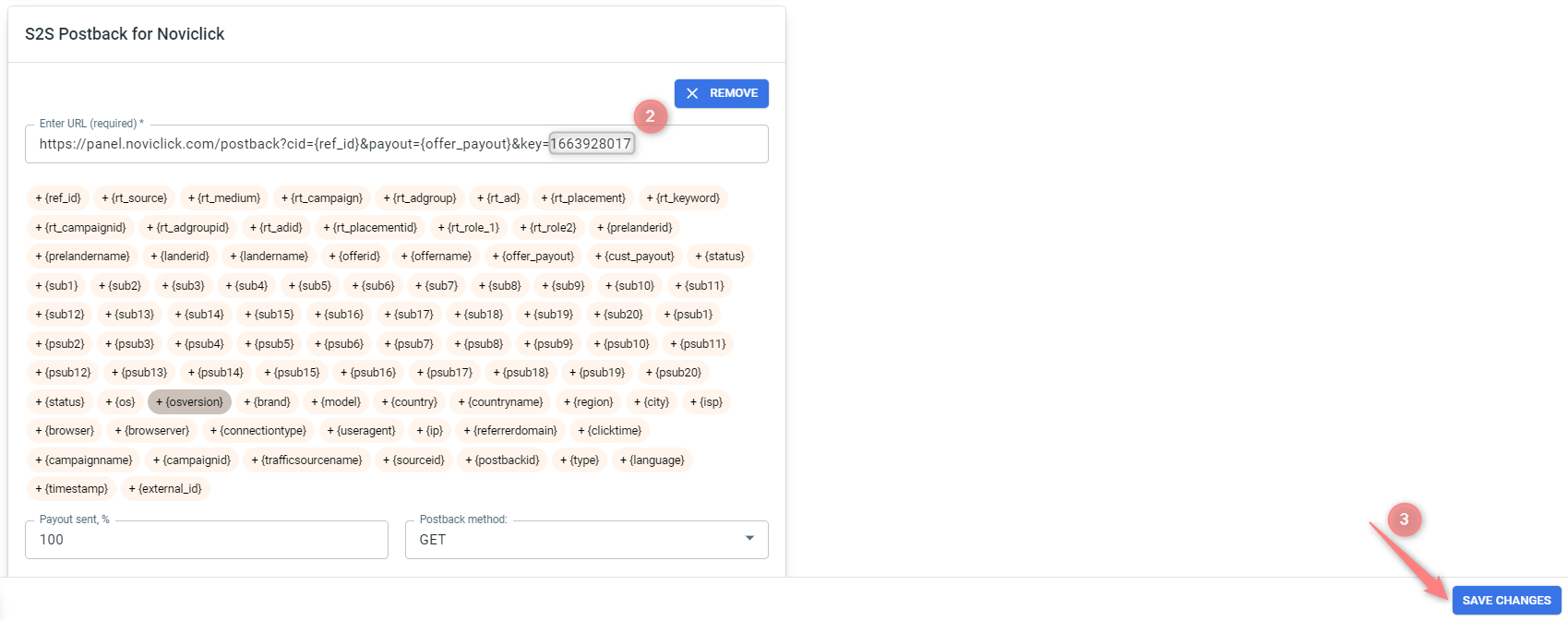
▸ If you changed the Postback URL in the Traffic channel (added/removed some parameters to it), remember to manually update the link in Campaign/Ad Tracking settings as well, as it won’t be generated correctly automatically.
▸ Some Traffic channels require you to edit the Postback with specific parameters for each Campaign/Ad Tracking (e.g., the goal for Exoclick or ap_key for Go2Mobi). If the field remains blank or something like “REPLACE” is stated, that means you need to define the Postback conditions manually.
4. Add tracking URL from RedTrack to your campaign in Noviclick
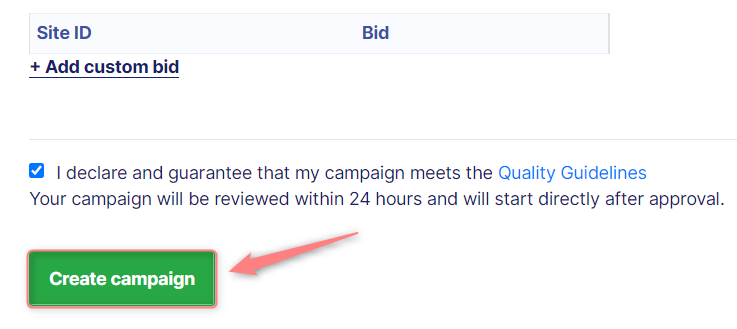
In your Noviclick account go the campaign (created within step 1) → paste the copied Click URL (from step 3.2) to the URL field → fill in the rest of the mandatory fields → press Create campaign: