

Partnership portal: settings for partners
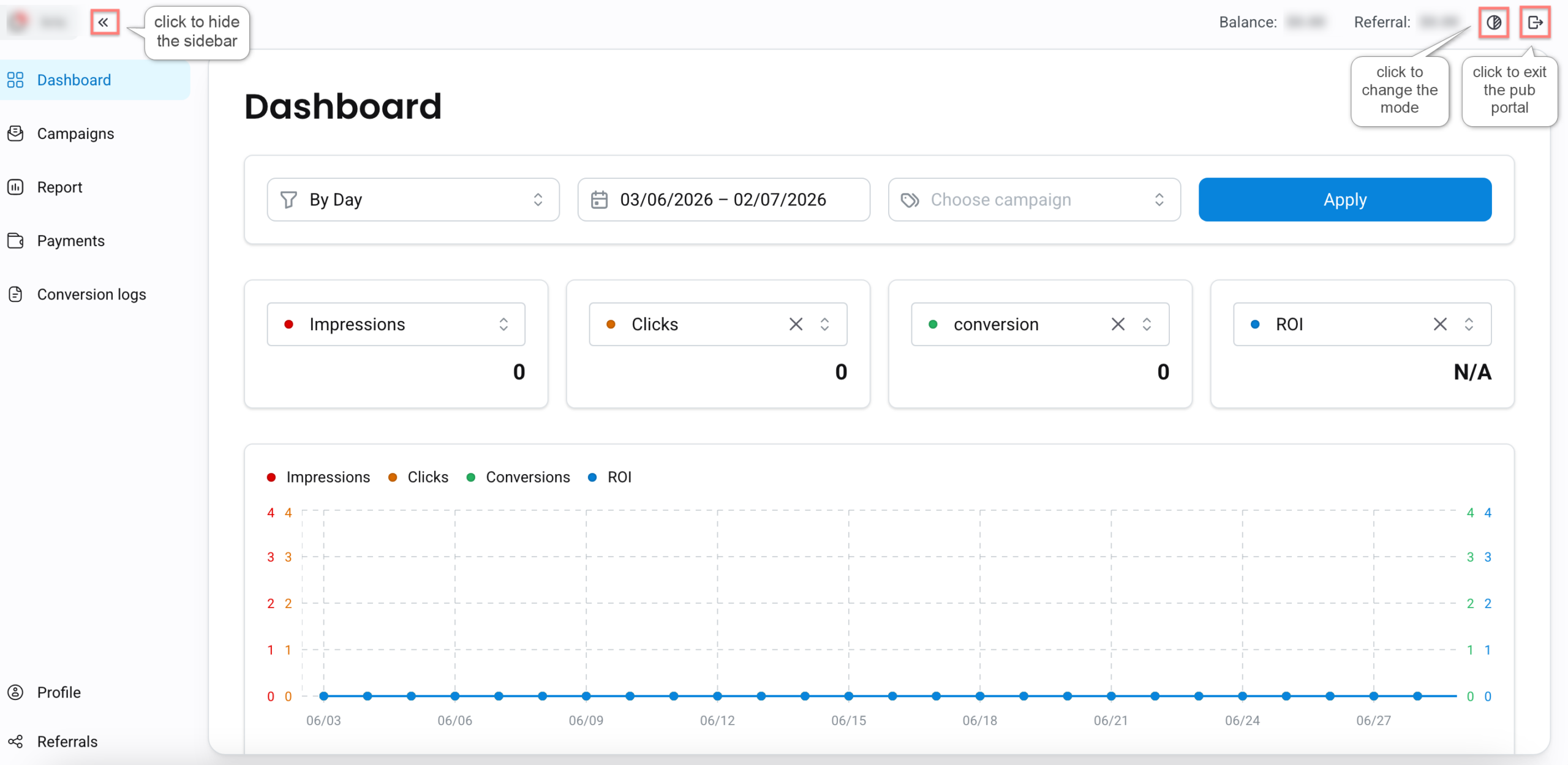
1. Once you are in your publisher management panel you’ll see 7 main tabs, your balance and Referral balance:
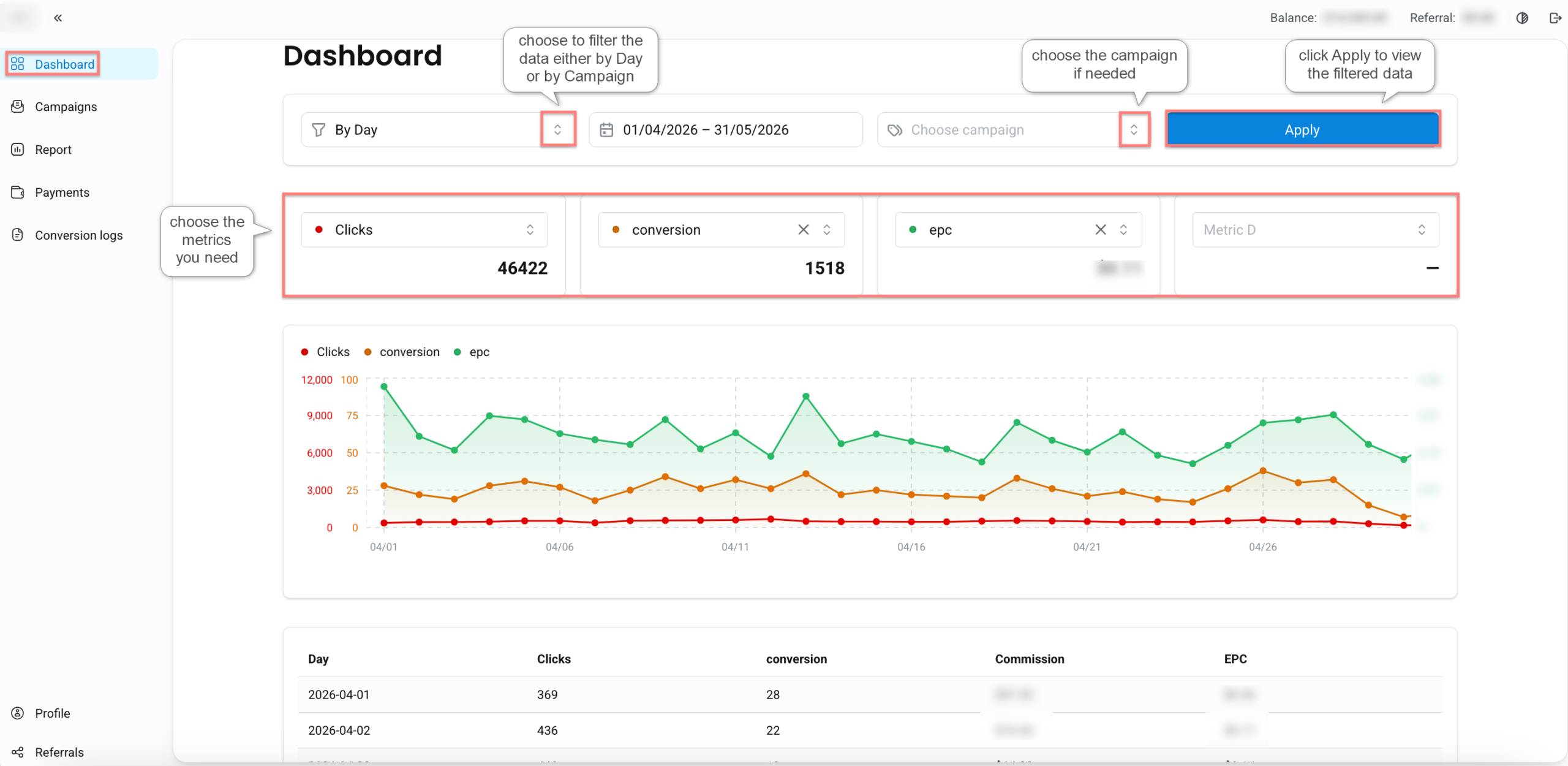
2. In the Dashboard tab the publisher can filter data by Date/ Campaign, view campaign performance, analyze key metrics:
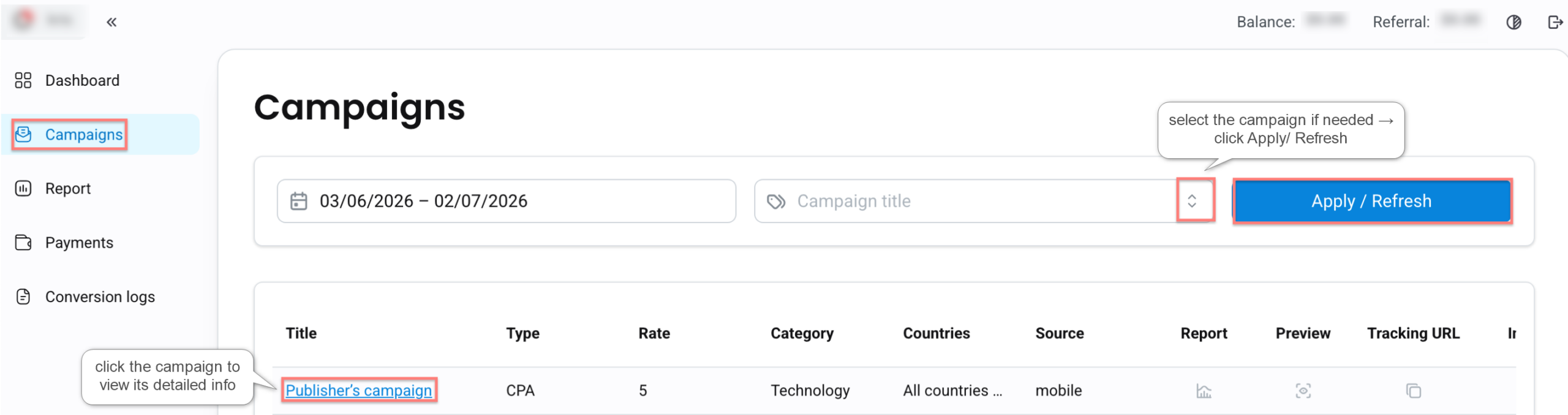
3. The Campaigns tab displays all available campaigns along with key details (Type, Rate, Category, etc.). Clicking on a campaign opens detailed information, including campaign description, DeepLinks, tracking URLs, creatives:
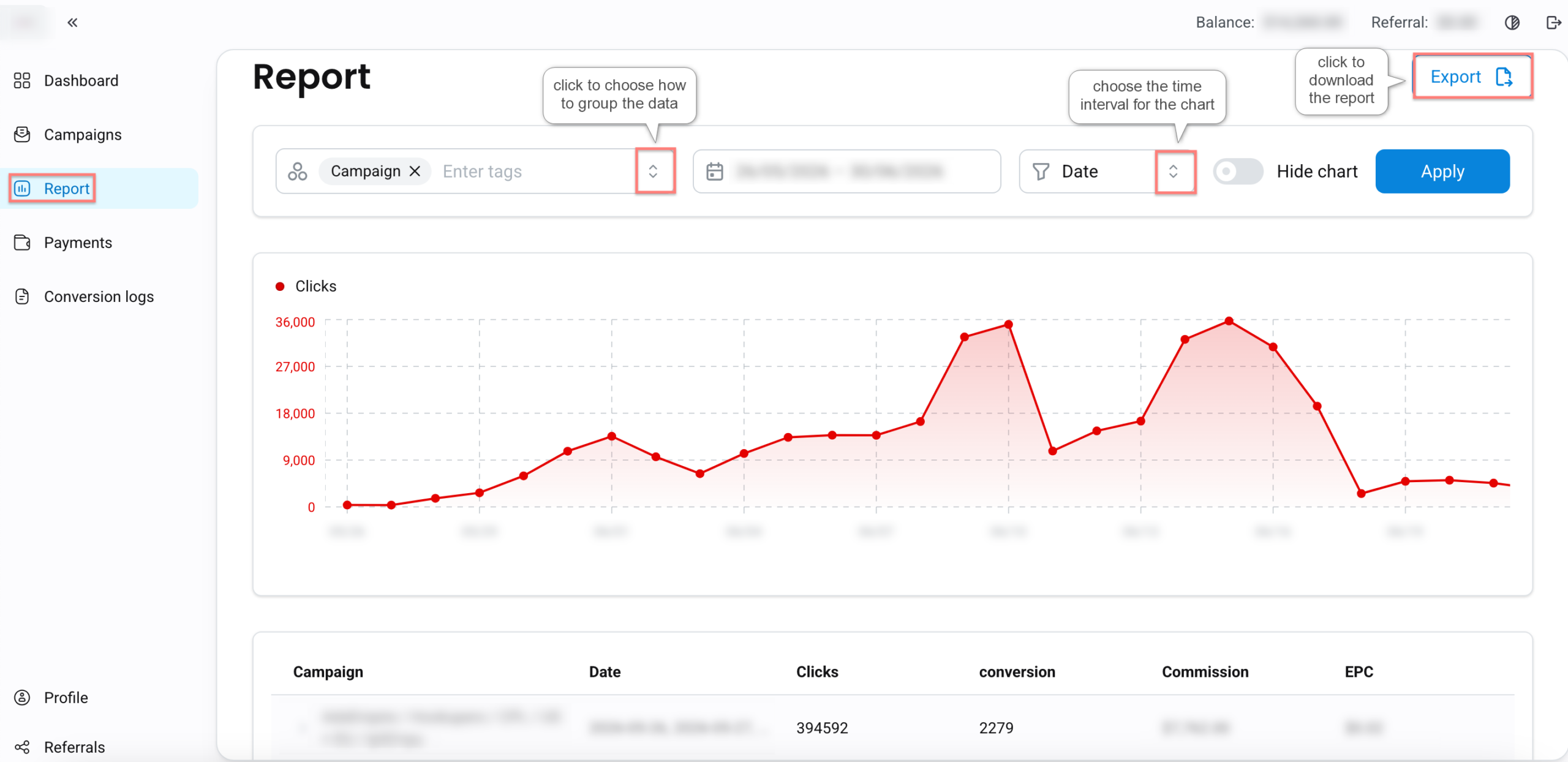
4. The Report tab allows publishers to analyze their performance data in detail. Publishers can select a reporting period, group data by different parameters (e.g., Campaign, Landing, Geo, Device, etc.), view performance metrics in chart and table format, export report data:
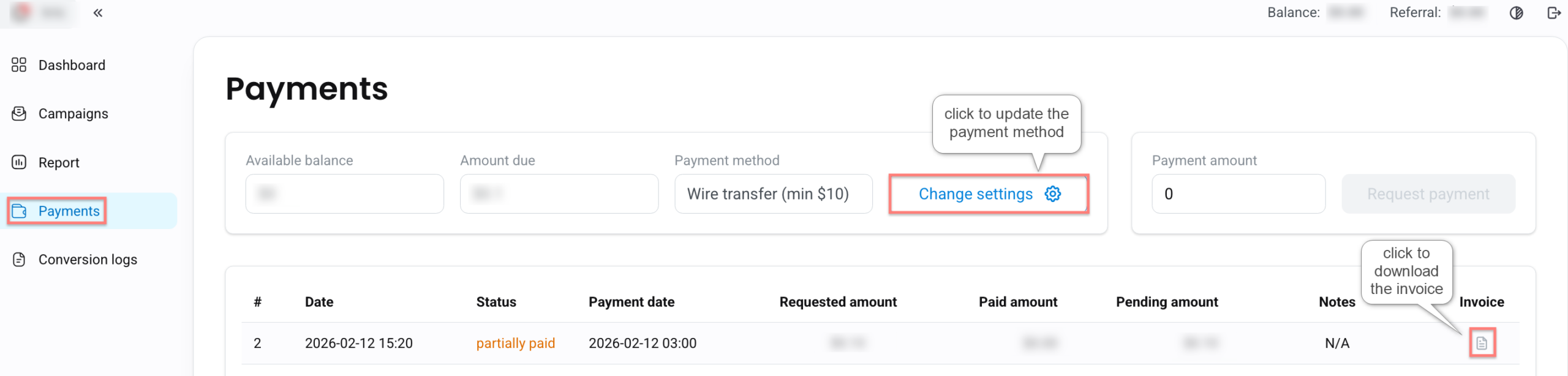
5. The Payments tab provides current balance, payment history, payment method. Publishers can update their payment method by clicking change settings:
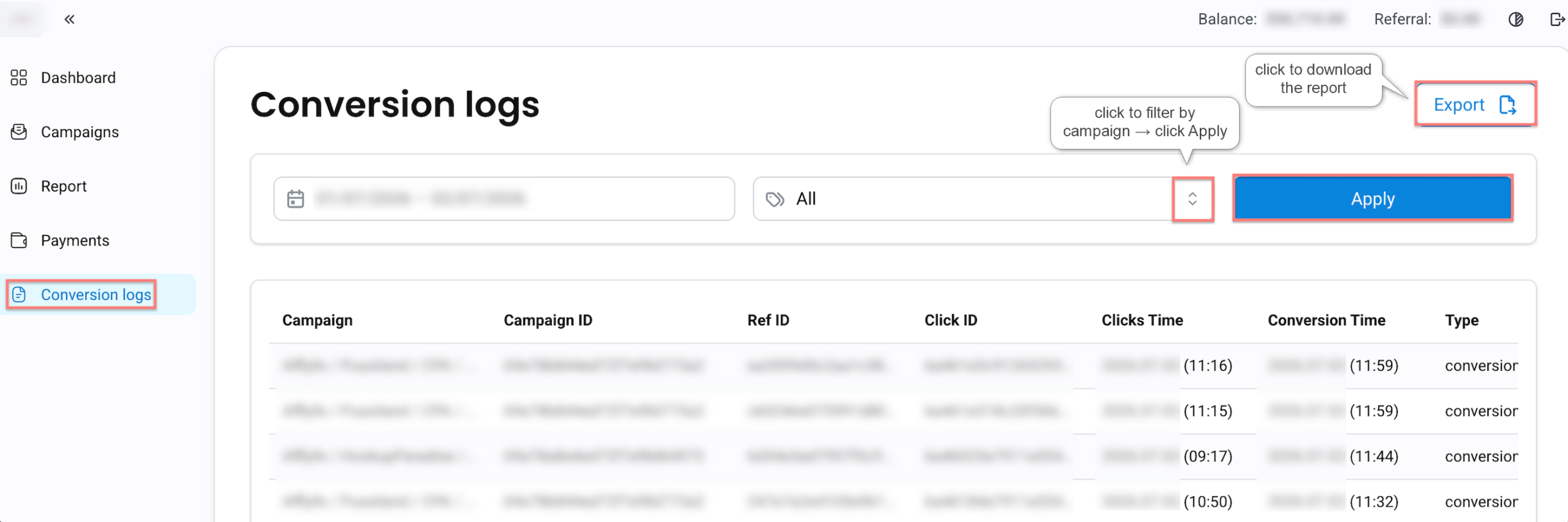
6. The Conversion logs tab allows publishers to filter and view conversions by their types and see their Campaign, Click ID, Conversion time, etc.:
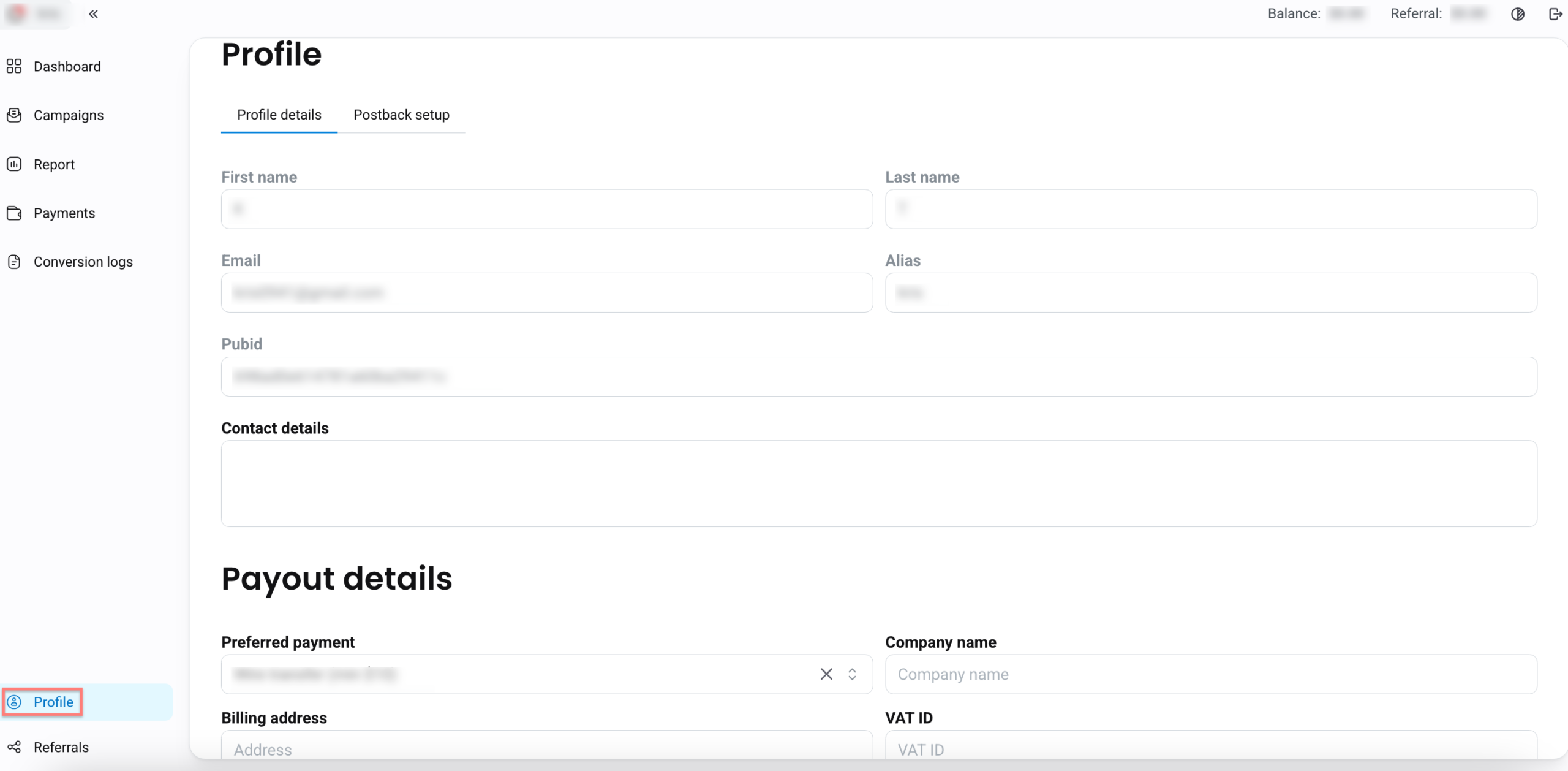
7. In the Profile tab publishers can see their profile and payout details:
- Postback setup is where the Postback URL is to be added.:
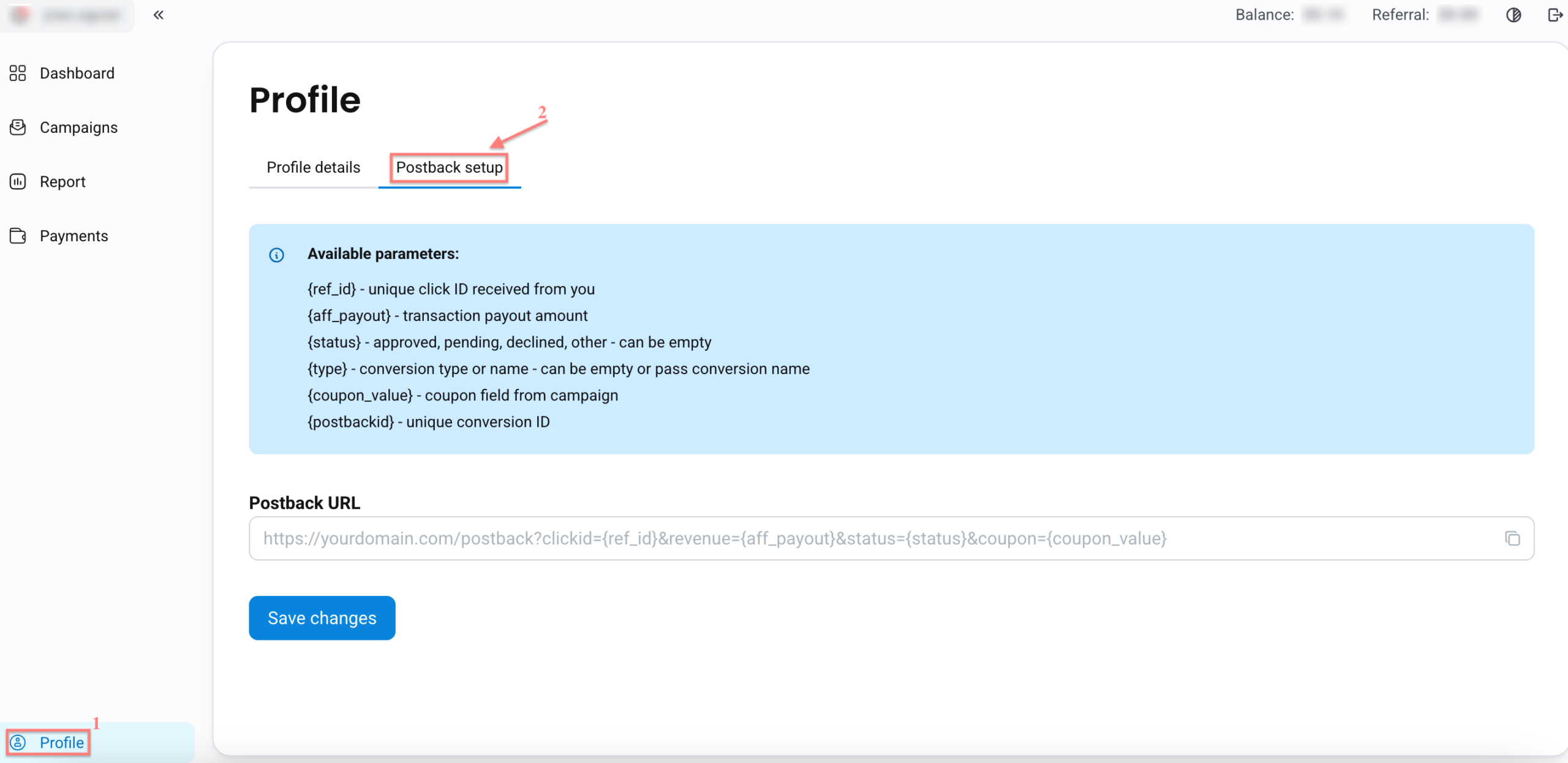
– Postback is added for the cases when publishers want to send conversions outside of RedTrack to their backend/internal system, etc.
– Postback URL should be provided by the partner/publisher, not the RT client. Thus, the domain in the postback as well as the postback itself is something that belongs to the publisher himself.
– In this Postback URL macro for clickid={ref_id}& macro for payout={aff_payout}.
– {replace_me} parameter is added for the publisher to see this value in the tracking link and replace it with his real value (macro for the click id used on their side).
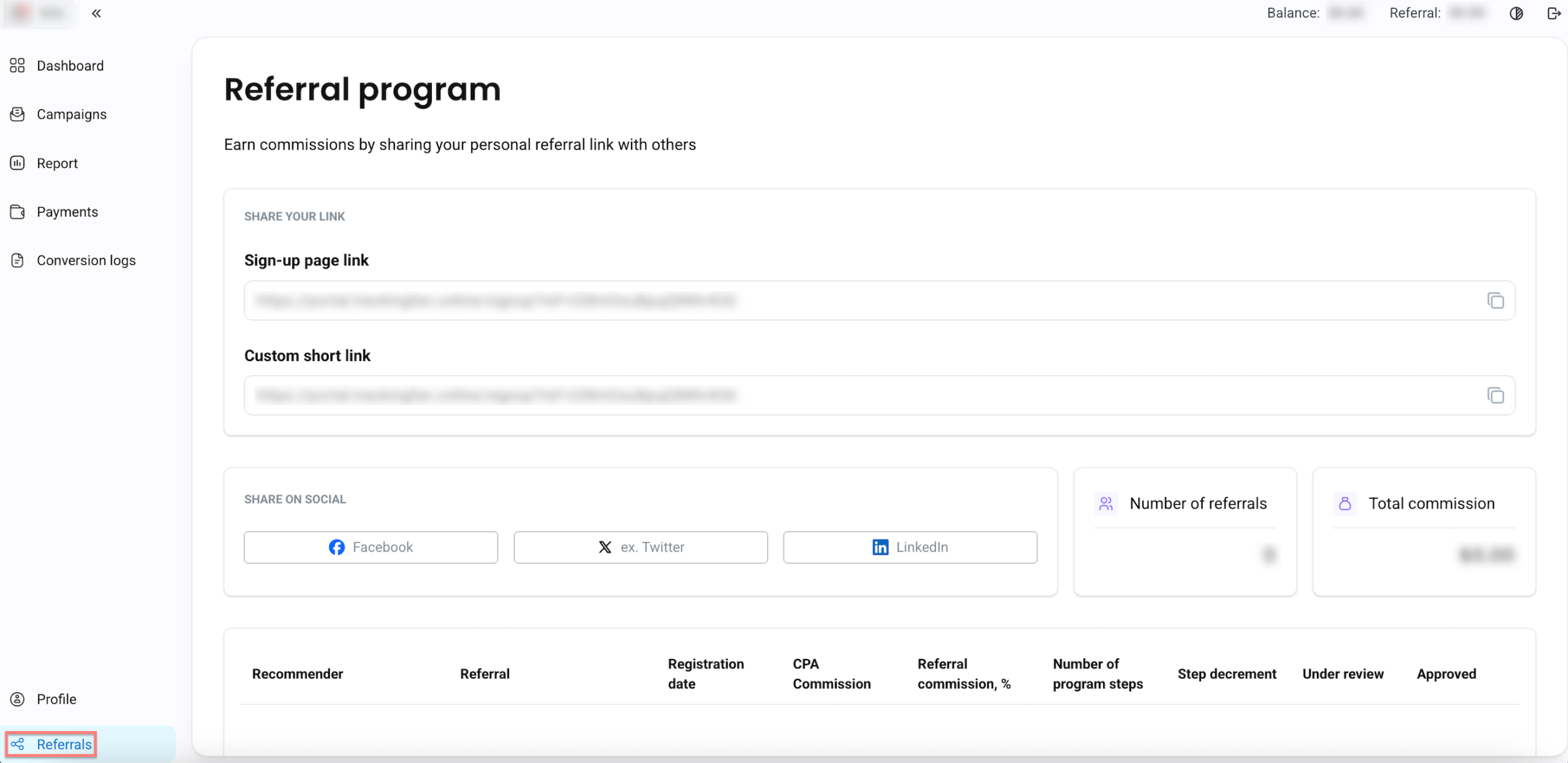
8. The Referrals tab contains Referral program details. Publishers can use their personal referral link to invite others and earn commissions on their activity: